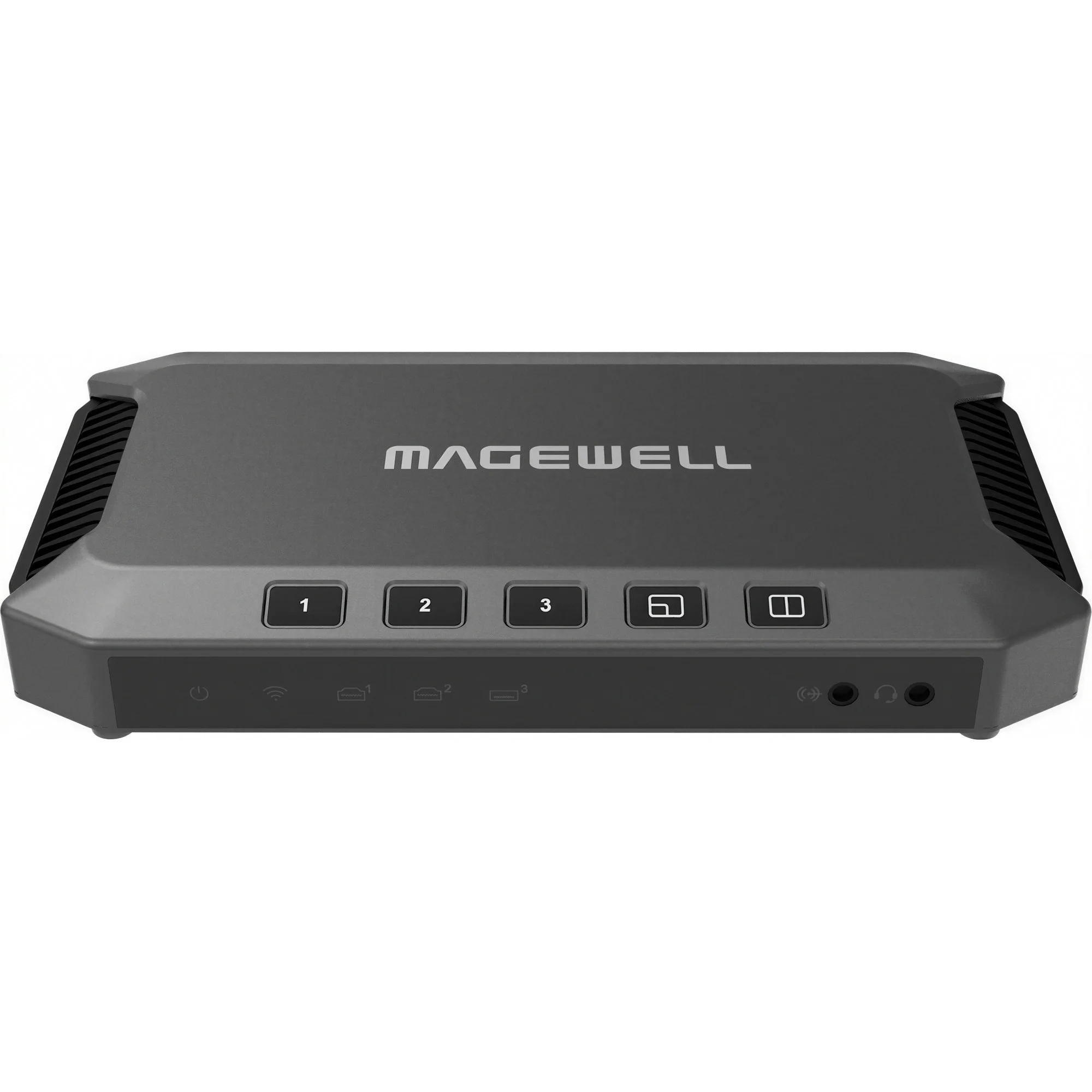
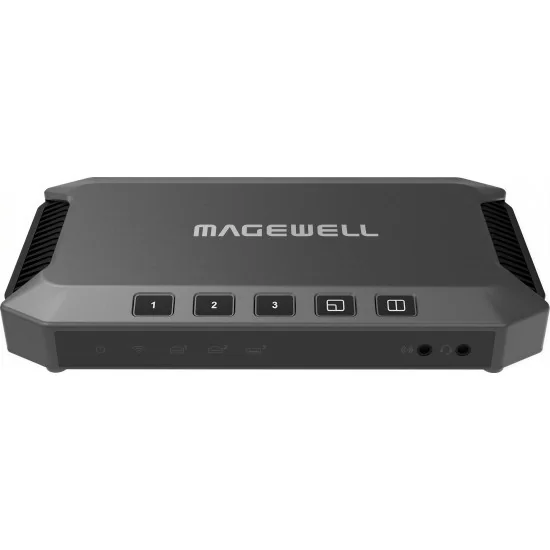
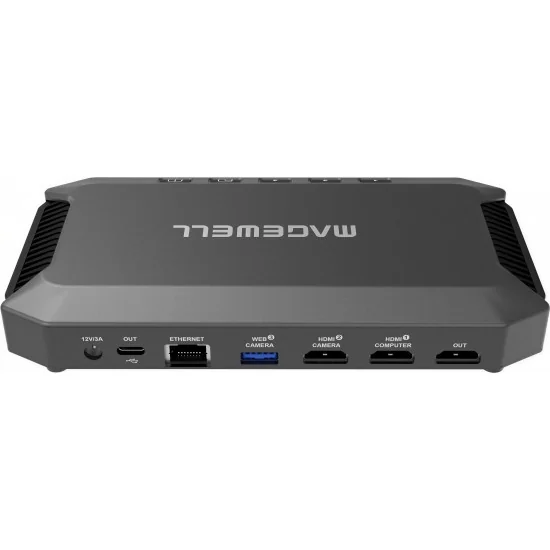
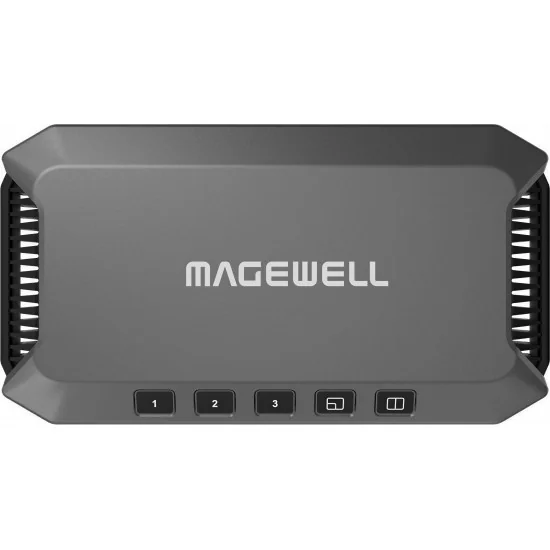
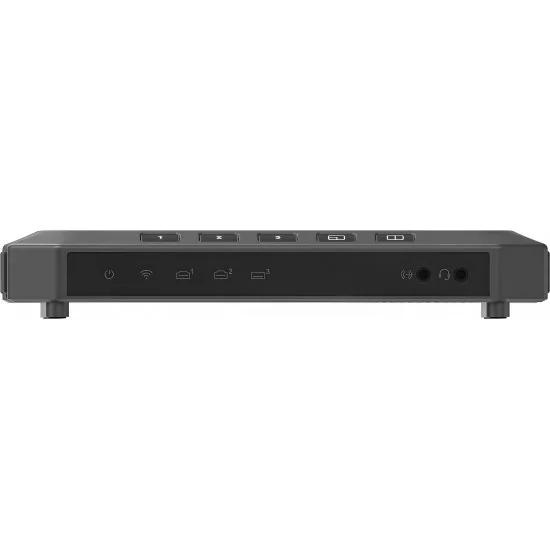
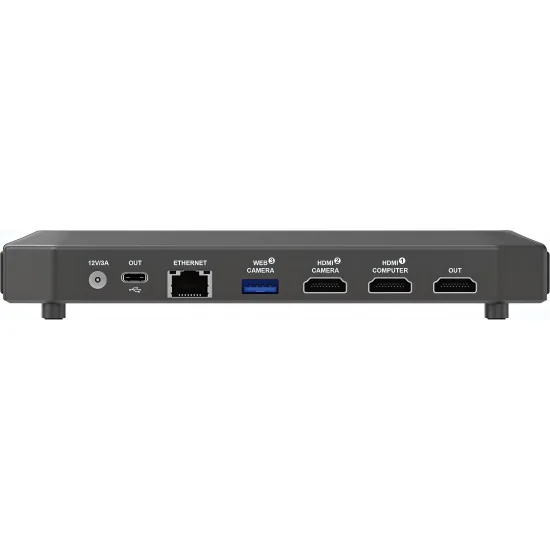
Lorsqu'une production en direct exige plus qu'un simple flux caméra, le Magewell USB Fusion regroupe plusieurs sources vidéo et audio dans un boîtier compact. Deux entrées HDMI 1.4a acceptent des signaux jusqu'à 2048x1080p à 60 fps en 8, 10 ou 12 bits en RGB 4:4:4 ou YCbCr. Une troisième source, via le port USB 3.0 Type-A, accepte toute webcam UVC jusqu'à 1080p60. Le partage d'écran sans fil via AirPlay, Miracast et Google Cast permet à quatre appareils de diffuser en même temps — pratique pour des tables rondes hybrides ou présentations multi-intervenants.
Les sorties fonctionnent en parallèle : le port USB 3.0 Type-C fournit un flux UVC/UAC à 1920x1080 à 60 fps vers Zoom, Microsoft Teams, Google Meet ou Skype sans pilote. Une sortie HDMI 1.4a envoie le programme vers un moniteur ou un enregistreur, et le streaming RTMP intégré transmet à 1080p60 jusqu'à 20 Mbps vers YouTube Live, Twitch ou tout serveur d'ingestion. Le stockage interne de 128 Go conserve les fichiers importés — MP4, MOV, MKV, JPEG, PNG, PDF — pour rappeler visuels ou segments pré-enregistrés en direct.
La composition de scène gère incrustation et affichage côté à côté avec recadrage, miroir, rotation par source. L'annotation en temps réel — stylos, formes, texte — transforme le Magewell USB Fusion en station de télestration pour le coaching, la revue d'imagerie médicale ou les revues d'architecture. L'interface Web UI pilote les réglages, la planification d'enregistrements et la configuration du stream ; l'application USB Fusion App sur iOS et Android ajoute le contrôle de présentations et la commande de caméras PTZ compatibles VISCA via HDMI.
Le mixage audio traite les signaux HDMI embarqués à 8 canaux, 192 kHz, ainsi que les entrées line-in et casque avec gain indépendant. La connectivité passe par Ethernet Gigabit ou Wi-Fi 802.11a/ac/ax 5 GHz. Une API HTTP ouvre l'automatisation, et les enregistrements H.264 MP4 ou MOV se lancent manuellement ou par programme vers Google Drive.
Lorsqu'une production en direct exige plus qu'un simple flux caméra, le Magewell USB Fusion regroupe plusieurs sources vidéo et audio dans un boîtier compact. Deux entrées HDMI 1.4a acceptent des signaux jusqu'à 2048x1080p à 60 fps en 8, 10 ou 12 bits en RGB 4:4:4 ou YCbCr. Une troisième source, via le port USB 3.0 Type-A, accepte toute webcam UVC jusqu'à 1080p60. Le partage d'écran sans fil via AirPlay, Miracast et Google Cast permet à quatre appareils de diffuser en même temps — pratique pour des tables rondes hybrides ou présentations multi-intervenants.
Les sorties fonctionnent en parallèle : le port USB 3.0 Type-C fournit un flux UVC/UAC à 1920x1080 à 60 fps vers Zoom, Microsoft Teams, Google Meet ou Skype sans pilote. Une sortie HDMI 1.4a envoie le programme vers un moniteur ou un enregistreur, et le streaming RTMP intégré transmet à 1080p60 jusqu'à 20 Mbps vers YouTube Live, Twitch ou tout serveur d'ingestion. Le stockage interne de 128 Go conserve les fichiers importés — MP4, MOV, MKV, JPEG, PNG, PDF — pour rappeler visuels ou segments pré-enregistrés en direct.
La composition de scène gère incrustation et affichage côté à côté avec recadrage, miroir, rotation par source. L'annotation en temps réel — stylos, formes, texte — transforme le Magewell USB Fusion en station de télestration pour le coaching, la revue d'imagerie médicale ou les revues d'architecture. L'interface Web UI pilote les réglages, la planification d'enregistrements et la configuration du stream ; l'application USB Fusion App sur iOS et Android ajoute le contrôle de présentations et la commande de caméras PTZ compatibles VISCA via HDMI.
Le mixage audio traite les signaux HDMI embarqués à 8 canaux, 192 kHz, ainsi que les entrées line-in et casque avec gain indépendant. La connectivité passe par Ethernet Gigabit ou Wi-Fi 802.11a/ac/ax 5 GHz. Une API HTTP ouvre l'automatisation, et les enregistrements H.264 MP4 ou MOV se lancent manuellement ou par programme vers Google Drive.
Livraison dans toute l’UE pour 20 €, gratuite dès 1 000 €.
Boutique B2B réservée aux professionnels, prix HT.
Distribution et garantie officielles de l'UE.
Paiements en ligne sécurisés via Stripe.
Demande de devis via formulaire ou e-mail: avgear@avgear.shop
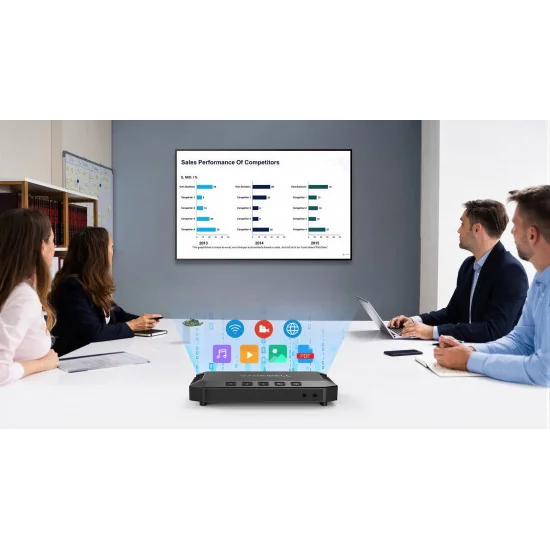
Make your online lectures and virtual events more engaging. Our USB Fusion hardware lets you easily combine cameras, screenshares and media file sources into attractive live presentations for remote education, webinars, live streaming, video conferencing and more.
Capture and Combine Sources
USB Fusion lets producers and presenters switch between multiple live and file-based sources, or to combine two inputs simultaneously into one output (picture-in-picture or side-by-side) for capturing into popular software via its USB 3.0 interface. USB Fusion offers two 1080p60 HDMI inputs plus one USB webcam input. It also supports wireless sharing input protocols including AirPlay®, Google Cast™ and Miracast™. Users can easily switch or combine sources via on-device buttons or the companion tablet app.
Engaging Presentations
Using the USB Fusion companion app, teachers and event hosts can create presentation playlists in advance and incorporate pre-recorded audio and other media files into their sessions. The app’s annotation tools can be used to mark up presentation materials, and the annotations can be exported to a file for sharing after the class or event. Users can also draw on the video in real-time like a telestrator. Sessions can also be recorded through the app to the USB Fusion hardware’s built-in storage for subsequent playback.
USB Fusion Specifications
Scene Input
HDMI
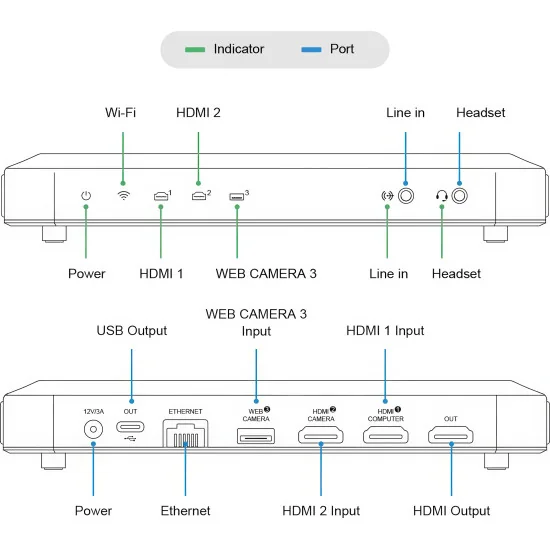
Port: 2x HDMI 1.4a Type-A port (HDMI 1 / HDMI 2)
Resolution/frame rate: up to 2048x1080p, 60fps
Color depth: 8-bit, 10-bit, 12-bit
Video sampling: RGB 4:4:4, YCbCr 4:4:4, YCbCr 4:2:2
USB
Port: 1x USB 3.0 Type-A port (WEB CAMERA 3)
Resolution/frame rate: up to 2040x1080p, 60fps
Codec: YUYV, H.264, MJPG, UYUV, NV12, etc.
Screencast
Protocols: AirPlay, Miracast, Google Cast
Supports up to 4 devices casting simultaneously
Imported files
Video file: MOV, MP4, MKV
Image file: JPEG, PNG, BMP
PDF file
Resolution: up to 4K, 8-bit
Codec: H.264, HEVC (H.265)
Web page
Transfer protocol: HTTP, HTTPS
Audio Input
Line in port: 1x 3.5mm jack, 2-channel, 48 KHz, 16-bit
Headset port: 1x 3.5mm jack (CTIA standard), 2-channel, 48 KHz, 16-bit
Up to 8-channel 24-bit HDMI-embedded audio at 192KHz
Audio from WEB CAMERA 3 port: Up to 4-channel 24-bit audio (The audio is disabled by default, and can be enabled on Web UI.)
Audio embedded in video files
Audio file: MP3, M4A, WAV
Audio of web pages
Audio of screencast sources
Video Output
USB OUT
Port: 1x USB 3.0 Type-C port
Resolution: 1920x1080, 1280x720, 640x480
Frame rate: 60fps, 30fps, 15fps
Video sampling: YUYV, NV12, ARGB
HDMI OUT
Port: 1x HDMI 1.4a Type-A port
Output image: HDMI 1, HDMI 2, or PROGRAM image
Output resolution: configurable, up to 2048x2048 (Actual resolution options can be limited by the negotiation result between the device and monitor.)
Streaming via RTMP:
Resolution: 1920x1080, 1280x720
Frame rate: 60fps, 30fps
Bitrate: up to 20 Mbps
Audio Output
1x 3.5mm jack: headset port
Format: 2-channel, 48 KHz, 16-bit
Standard: CTIA
Audio output via WEB CAMERA 3 port: 2-channel (The audio is disabled by default, and can be enabled on Web UI.)
Audio output via USB OUT port: 2-channel, 48 KHz, 16-bit
Audio output via HDMI OUT port: 2-channel, 48 KHz, 16-bit
Audio output via RTMP streaming: 2-channel, 48 KHz, 16-bit
Video Processing & Production
HDMI source
Video/audio signal data: auto extracted
Color space/quantization range: calibration supported
De-interlacing: Bob, motion adaptive, motion compensated
EDID: self-definition supported
USB source
Format: selects according to the source
Resolution/frame rate: selects according to the source
Screencast source
Supports turning on/off screencast protocols on Web UI
Supports secure screencast by using on-screen code or custom password
Supports up to 4 simultaneous wireless sources combined into a screencast scene layout
Supports single-view or multi-view display, with a dynamic layout for multi-view display
Supports customizing background color
Supports dynamically crop black bars of the screen for Android devices casting through Miracast
Supports displaying the screencast device name, image size and frame rate
PDF source
Supports turning pages, visiting hyperlinks, zooming in and out, etc.
Web page source
Supports browsing web pages, visiting hyperlinks, zooming in and out, etc.
Supports inputting information through the remote keyboard
Auto conversion of frame rate/color space
Source switching: auto, manual
Scene compositing: picture in picture, side by side
Scene editing: crop, mirror, scale, rotate, and more
Annotation: pens, shapes, text, and more, generated as notes for exporting
Presentation: supports creating, importing, exporting, managing presentations, etc.
GFX: supports adding and applying text or picture (JPG, JPEG and PNG) as GFX into the presentation
FTB: supports fading to black or image
Audio Processing & Production
Auto resampling
Auto audio de-embedding and embedding
Controls volume of audio output and each audio input
Supports microphone gain
Recording and Screenshot
Supports manual and schedule recording to local storage, with default format of 1080p60, H.264, MP4 (Recording parameters and schedule can be configured on Web UI )
Screenshot format: JPEG, 1920x1080
Storage space: 128 GB
Cloud backup: supports automatically or manually uploading recorded video and screenshots to Google Drive
Provided Software
USB Fusion App
Creates, edits and controls presentations
Supports HD, SD, Auto and customized preview quality
Provides USB Clicker to control the PowerPoint on the computer connected to the USB OUT port.
Supports PTZ control, applying to the VISCA compatible PTZ camera connected to the HDMI port
Takes and manages recordings and screenshots
Supports the Watcher mode, which allows up to two watchers viewing the scene and telestrating while one operator controlling the device.
OS version: iOS 12 and later, Android 7.0 and later
Web UI
Configures and manages the device
Creates, controls and manages presentations and media files
Configures recording parameters and sets schedule recording
Source: supports ISO recording by selecting the source to record, and selecting whether to only record the image
Encoder: sets resolution (up to 1080p60), bitrate mode (CBR or VBR), audio (up to 48Khz, aac, 256kbps), etc.
Storage: supports local storing as MP4 or MOV files, and splitting files by time or size
Schedule: sets recording schedule to implement recording automatically during the specified time period
Manages recordings and screenshots, and supports auto or manual backup to Google Drive
Configures RTMP server, and starts/stops streaming
Sets the login mode of the App to the device, including free login, password to login and pairing to login, and enables the Watcher mode to set the number and permissions of watcher
Customizes preview quality for the App
Sets sleep
Supports registering Magewell Control Hub for centralized management
Network
Ethernet: 1x RJ45 port, 10/100/1000 Mbps Base-T
Wi-Fi network: IEEE 802.11 a/ac/ax (only 5G supported), Station mode or AP mode supported
USB network: 1x USB OUT port
Compatible Software
Skype, Zoom, Microsoft Teams, Google Meet
Other UVC/UAC compliant, DirectShow/V4L2/AVFoundation compatible software
Compatible OS
Windows: Windows 7 and later, Server 2008 and later (x86 & x64)
Linux: Linux system with kernel 2.6.35 or later (x86, x64 & ARM)
Mac: OS X 10.9 and later, macOS 10.12 and later
System Requirement for Screencast*
AirPlay
iPhone/iPad: iOS 12.3 or later
Mac: macOS 10.14 or later
Miracast
Windows 10 or 11
Android 4.2 or later
Google Cast
Windows: Core i3 or equivalent, Windows 7 or later
Apple OS X: Macbook Pro 2010 or newer, Macbook Air 2011 or newer, OS X 10.9 or later
Chrome OS: All 2014 models and later, 2013 Haswell-based models, and Samsung Chromebook 2
* The version change of screencast protocols may affect the use of the screencast function of this device.
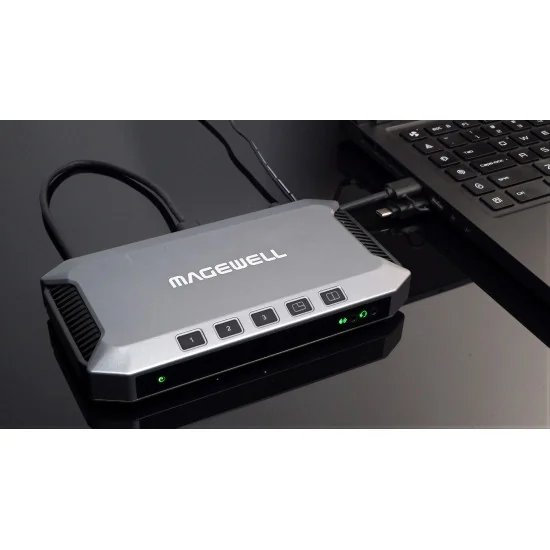
Buttons
Switches and composites sources
Switches screencast images and displays screencast guide
Starts or stops pairing for “Pairing to login” mode
Wakes up the device when it is sleeping
Supports customizing functions
LED Indicators
Power
On: power on
Off: power off
Wi-Fi / HDMI 1 / HDMI 2 / WEB CAMERA 3
On: connected
Off: not connected
Line-in / Headset
On: connected
Pulsing: not connected
Power
Power port: 2.1mm x 5.5mm jack
Power input: 12V/3A
Power Consumption
Static working status: 10W
Full-load working status: 17.5W
Static sleeping status: 9.8–10w
Full-load sleeping status: 14.5–14.8W
Dimensions: 186mm x 101.2mm x 30mm
Accessories: 1x Power adapter Output: 12.0V/3.33A, 1x USB 3.0 cable
Working Environment
Operating temperature: 0 to 50 deg C
Storage temperature: –20 to 70 deg C
Relative humidity: 5% to 90% non-condensing

Fiche technique
Références spécifiques