- Pack
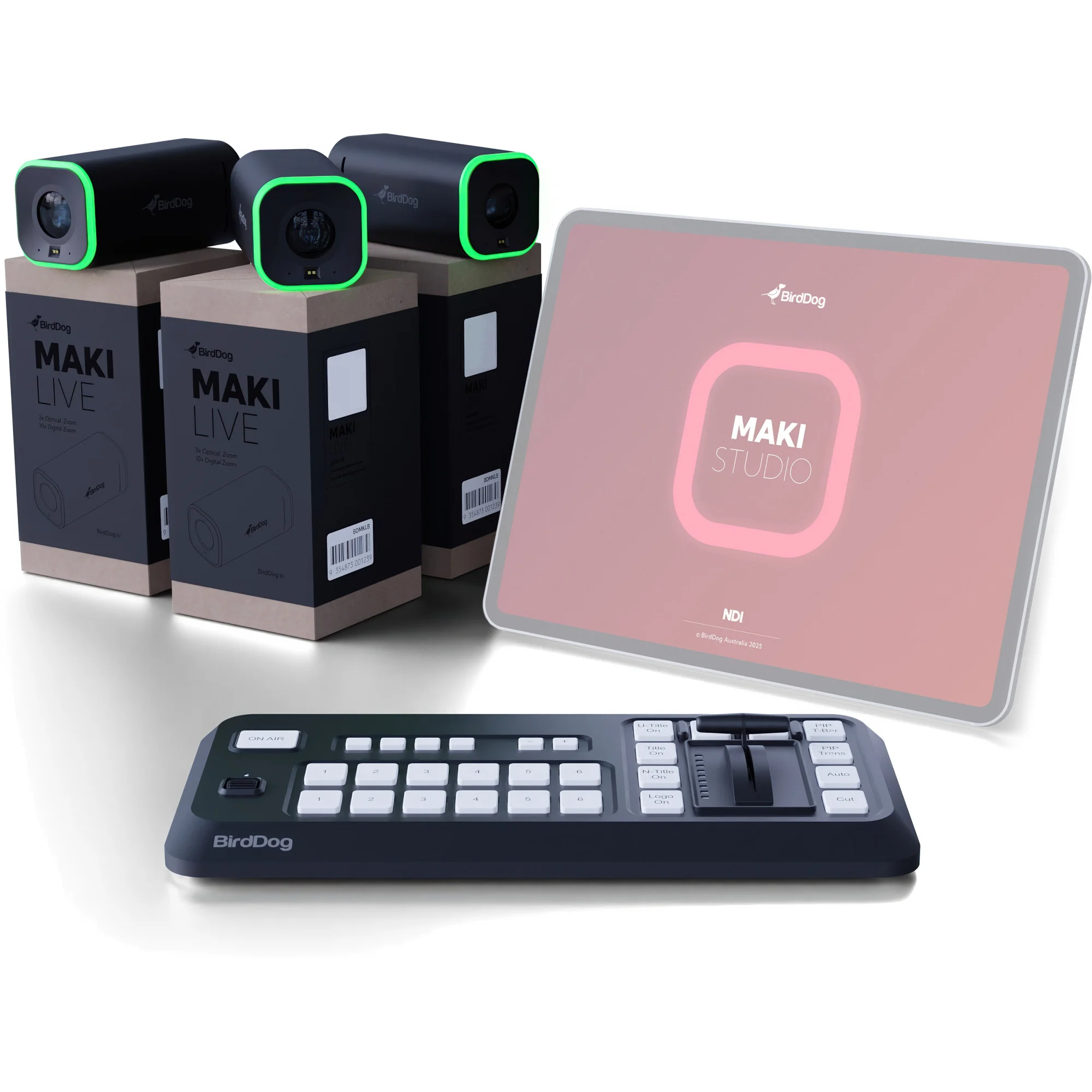
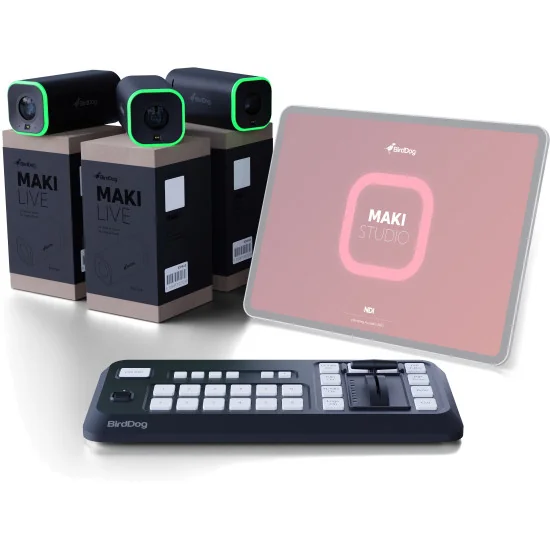
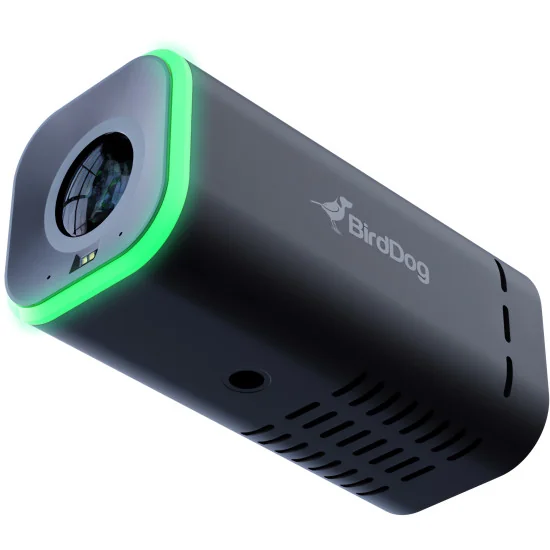
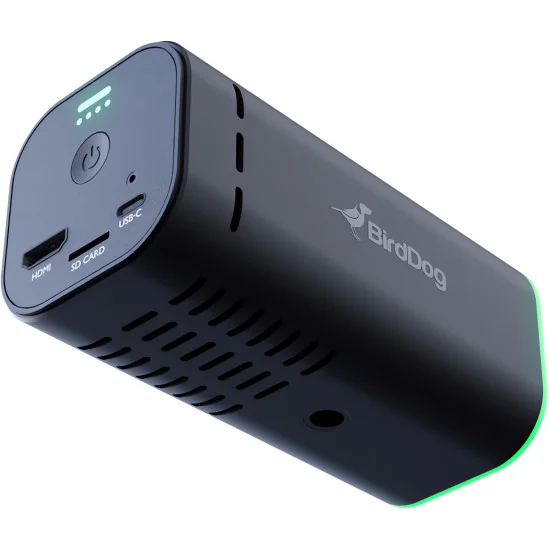
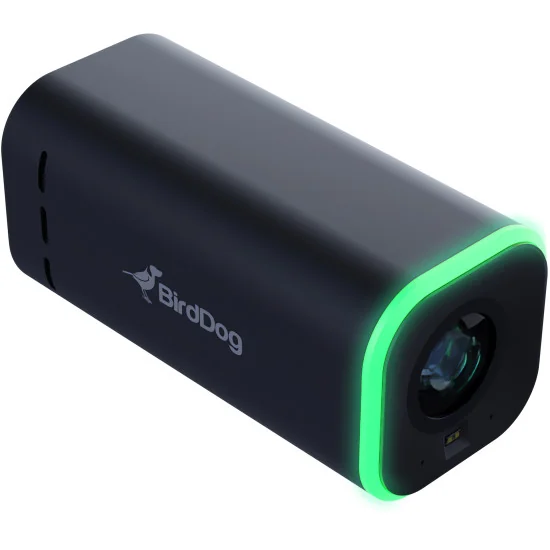
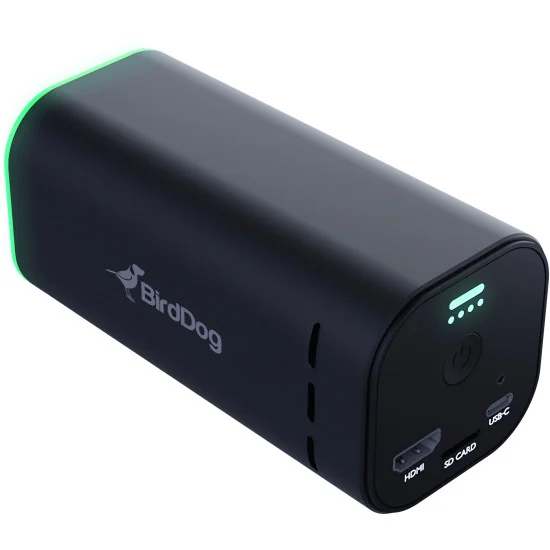
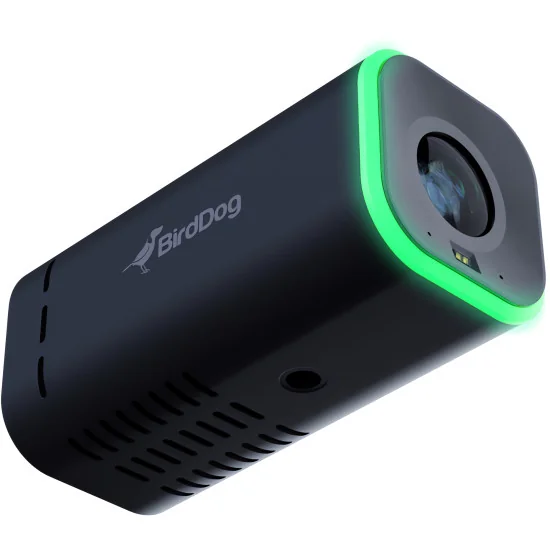
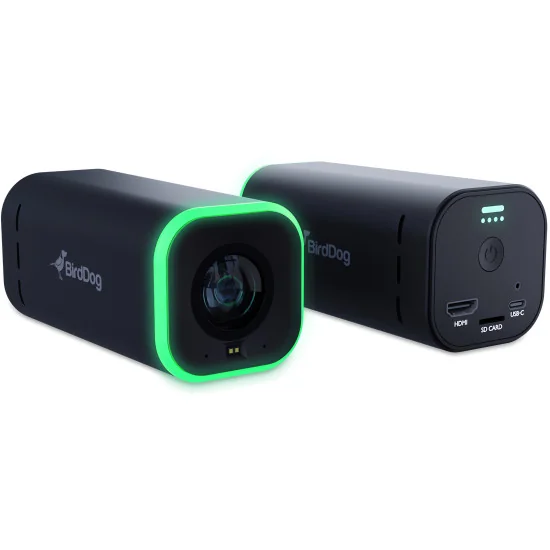
BirdDog MAKI Live Combo is a compact multi-camera production package built for crews that need broadcast-style control without carrying a conventional studio rack. The set combines three MAKI Live 4K streaming cameras with the MAKI Studio control surface, giving a single operator the ability to capture, switch and manage several viewpoints from one portable system. Each camera delivers up to UHD 4K at 30 fps, supports NDI|HX2, NDI|HX3, RTSP, RTMP and SRT, and can feed productions through HDMI or USB-C UVC. This makes the combo relevant not only for mobile streaming, but also for podcast studios, education rooms, worship spaces, interview sets and small event coverage.
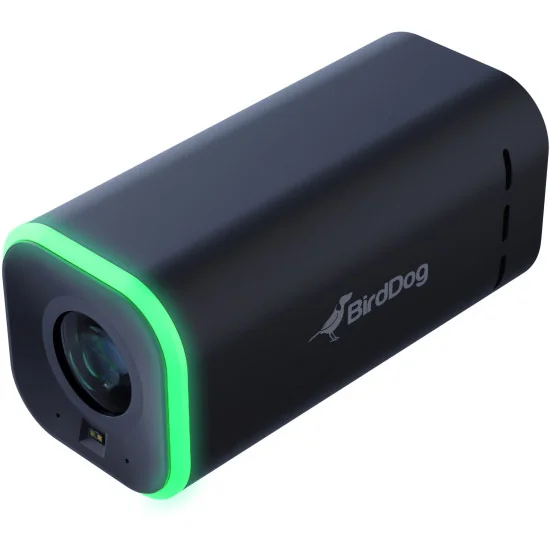
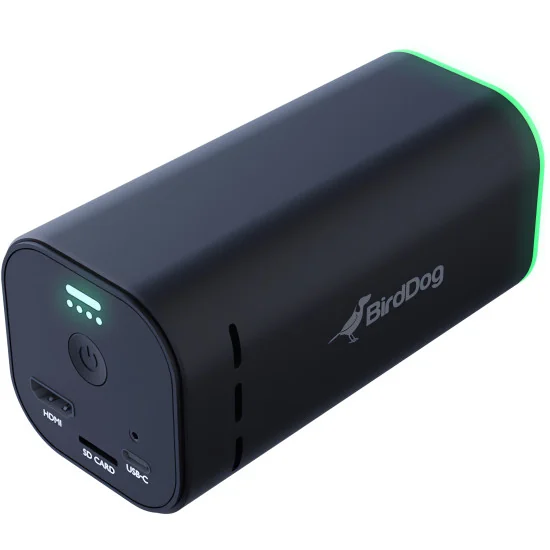
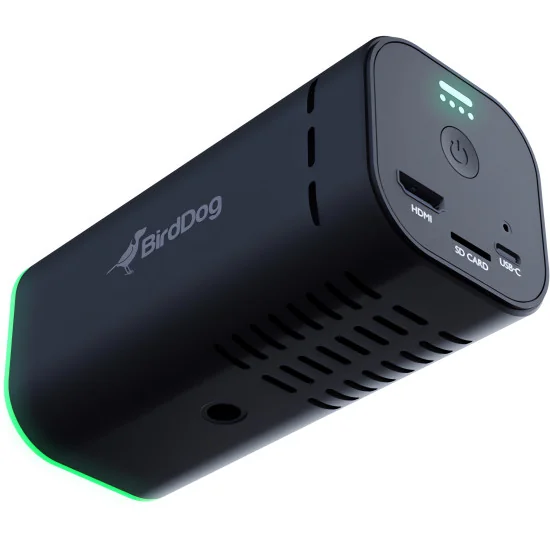
The camera block is aimed at fast live acquisition where placement options matter as much as image quality. A 1/2.8-inch UHD CMOS sensor, 3x optical zoom, 10x digital zoom and a wide field of view allow one kit to cover a speaker at a lectern, a two-person discussion table and a wider establishing angle at the same time. Wi-Fi 6, optional PoE powering, internal battery operation, microSD recording, ToF / auto / manual focus, manual exposure tools, anti-flicker settings and built-in tally support make the system practical in rooms where cabling is limited and setup windows are short.
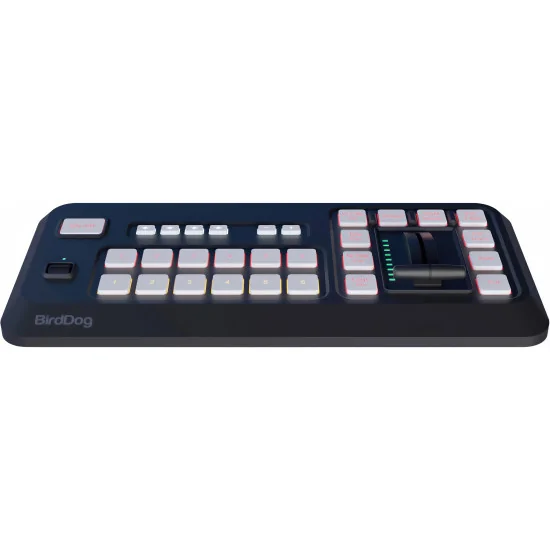
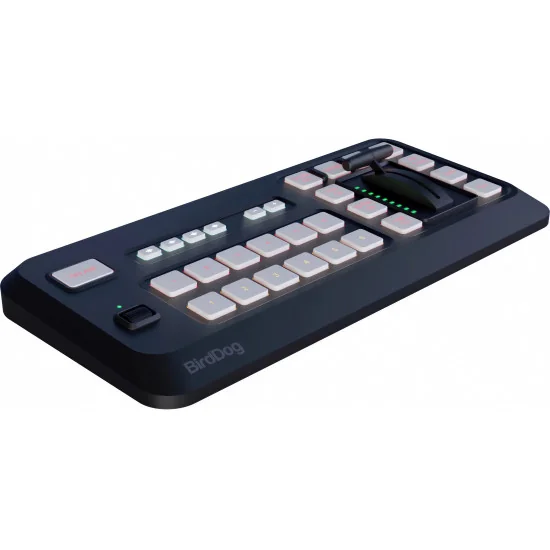
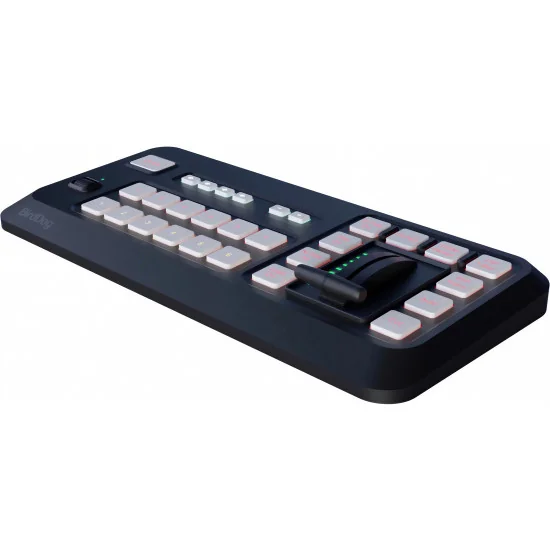
What separates this package from a simple three-camera bundle is the control layer. The MAKI Studio control surface works with the iPad app and provides tactile switching with six program buttons, six preview buttons, a T-bar, transition controls, overlay triggers, four audio preset recall banks and a navigation wheel. For producers handling panel discussions, training sessions, corporate presentations or social clips cut live for immediate publishing, that hardware access is much quicker than tapping through software menus. Bluetooth or USB-C connection also makes it easier to keep the control position separate from the camera line.
In practice, BirdDog MAKI Live Combo suits teams that need a transportable multi-camera streaming system with low setup friction and recognizable ProAV signal standards. It can be used for live switching between presenters, product demos, classroom capture, hybrid meetings, church streaming, behind-the-scenes production and remote contribution over IP. For buyers searching for a 4K NDI camera bundle, a portable live production kit or a wireless three-camera streaming solution, this package answers that requirement with one coordinated BirdDog platform rather than a mix of unrelated devices.
Instead of €2,182.00
BirdDog MAKI Live Combo is a compact multi-camera production package built for crews that need broadcast-style control without carrying a conventional studio rack. The set combines three MAKI Live 4K streaming cameras with the MAKI Studio control surface, giving a single operator the ability to capture, switch and manage several viewpoints from one portable system. Each camera delivers up to UHD 4K at 30 fps, supports NDI|HX2, NDI|HX3, RTSP, RTMP and SRT, and can feed productions through HDMI or USB-C UVC. This makes the combo relevant not only for mobile streaming, but also for podcast studios, education rooms, worship spaces, interview sets and small event coverage.
The camera block is aimed at fast live acquisition where placement options matter as much as image quality. A 1/2.8-inch UHD CMOS sensor, 3x optical zoom, 10x digital zoom and a wide field of view allow one kit to cover a speaker at a lectern, a two-person discussion table and a wider establishing angle at the same time. Wi-Fi 6, optional PoE powering, internal battery operation, microSD recording, ToF / auto / manual focus, manual exposure tools, anti-flicker settings and built-in tally support make the system practical in rooms where cabling is limited and setup windows are short.
What separates this package from a simple three-camera bundle is the control layer. The MAKI Studio control surface works with the iPad app and provides tactile switching with six program buttons, six preview buttons, a T-bar, transition controls, overlay triggers, four audio preset recall banks and a navigation wheel. For producers handling panel discussions, training sessions, corporate presentations or social clips cut live for immediate publishing, that hardware access is much quicker than tapping through software menus. Bluetooth or USB-C connection also makes it easier to keep the control position separate from the camera line.
In practice, BirdDog MAKI Live Combo suits teams that need a transportable multi-camera streaming system with low setup friction and recognizable ProAV signal standards. It can be used for live switching between presenters, product demos, classroom capture, hybrid meetings, church streaming, behind-the-scenes production and remote contribution over IP. For buyers searching for a 4K NDI camera bundle, a portable live production kit or a wireless three-camera streaming solution, this package answers that requirement with one coordinated BirdDog platform rather than a mix of unrelated devices.
We ship across the EU for €20, free over €1,000.
B2B sales only, prices excl. VAT.
Official EU distribution and warranty.
Secure online payments via Stripe.
Send your enquiry via the form or email avgear@avgear.shop
MAKI Live. Pro-Quality Live Streaming. Anywhere.
The ultimate portable live production tool, built from BirdDog’s broadcast expertise. MAKI Live delivers professional 4K video with optical zoom, AI-powered control, and wireless freedom. No crew, no cables, just limitless creativity.
Portable. Wireless. Powerful.
Built for creators. Powered by broadcast technology. A Powerhouse in the palm of your hand. MAKI Live is a compact, professional streaming camera that brings BirdDog’s high-end video expertise to creators, educators, and businesses. Built-in Wi-Fi, 6-hour battery, and lightweight design make it ideal for on-the-go creators. No wires, no hassle, just press and stream.
MAKI Live for Content Creators.
Level up your live streams with professional video quality.
Level up your live streams with professional video quality designed for creators who demand more. With 4K streaming and optical zoom, your content looks crisp and detailed, standing out from the crowd. AI Gesture Zoom lets you control shots effortlessly with simple hand movements, while Webcam Mode instantly transforms MAKI Live into a high-end 4K webcam for calls and meetings. Plus, with its wireless, battery-powered design, you can stream from anywhere without the hassle of cables.
MAKI Live for Educators.
Make every lesson engaging & professional.
Enhance every lesson with broadcast-quality video, ensuring students and viewers catch every detail with crystal-clear clarity. MAKI Live’s Plug & Play 4K Webcam Mode instantly elevates virtual lessons and video calls, providing a polished, professional presence.
With its wireless flexibility, optical zoom, and multi-camera capabilities—especially when paired with MAKI Studio—MAKI Live seamlessly adapts to classrooms, home offices, and remote teaching, making interactive and engaging education easier than ever.
MAKI Live for Business & Event.
Bringing Hybrid Meetings, Webinars, and Live Events to Life. Anywhere.
Whether you’re hosting a corporate event, leading a webinar, or running a hybrid meeting, MAKI Live ensures you look and sound professional but without the need for complicated setups. Its wireless freedom, built-in battery, and pro-grade optics make it perfect for both formal boardrooms and casual, off-site locations.
MAKI Live delivers 4K video with optical zoom, ensuring sharp, professional visuals in any setting, from boardrooms to outdoor venues. Its wireless, battery-powered design eliminates cables and simplifies setup. Webcam Mode integrates seamlessly with Zoom and Teams for effortless virtual meetings.
Multi-Cam Control.
Connect multiple MAKI Live cameras and manage them seamlessly with the MAKI Studio Control Surface. Perfect for corporate presentations, live events, and hybrid meetings, it delivers smooth switching and professional results—without the need for a PC.
MAKI Studio. Your Multi-Cam Workflow, Simplified.
Take full control of your live production with the MAKI Studio Control Surface, designed to manage multiple MAKI Live cameras with broadcast-style precision. Use the companion iPad app for visual configuration and monitoring, all without the need for a PC. With seamless multi-cam switching and wireless flexibility, MAKI Studio delivers professional results with minimal setup.
MAKI Live • Tech Specs
IMAGING
Image Sensor: Sony 1/2.8" CMOS - UHD
Lens: f=3.3~9.9mm
Zoom: Optical 3x, Digital 10x
Video Format: 2160p @ 30/29.97/25fps • 1080p @ 30/29.97/25fps • 720p @ 30fps
Horizontal angle of view: 81.4° (W) ~ 31.3° (T)
Vertical angle of view: 50.5° (W) ~ 18.2° (T)
Diagonal angle of view: 92° (W) ~ 35.8° (T)
Aperture: F2 (W) ~ F3.7 (T)
Focus: TOF, Auto, Manual
Exposure: Auto, Shutter Priority, Manual, Bright
Backlight Compensation: Yes
Digital Noise Reduction: 2D and 3D Digital Noise Reduction
SNR: >50dB
Effective Pixels: 8.29 Megapixels
MECHANICAL
Preset Number: 255
I/O INTERFACE
Video Output Interfaces: HDMI, USB-C UVC 1.0, Network (inbuilt WiFi 6, Optional PoE 802.3af via dongle - sold separately)
Video Compression Format: H.264 up to 62mbps
Network Interfaces: Wi-Fi 6 - IEEE 802.11ax
Encoder Network Protocols: NDI|HX2, NDI|HX3, RTSP, RTMP, SRT
Control Interface: Network, USB TYPE-C(UVC1.0)
Control Protocol: VISCA IP, NDI, UVC
Memory Card: TF Card (Micro SD)
GENERAL PARAMETER
Input Voltage: USB Type-C 5V, POE IEEE 802.3af, Optional via dongle - sold separately)
Input Current: 2.4A (Min) 5V
Power Consumption: 5W(mean power consumption)
Working Temperature: 0°C ~ +40°C
Working Humidity: 10% ~ 95%
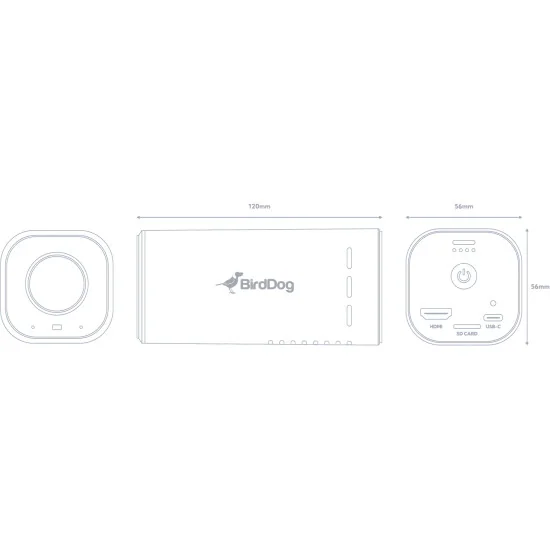
Dimension (W*H*D): 120mm x 56mm x 56mm
Weight: 335g
BirdDog MAKI Studio Control Surface
MAKI Studio Control Surface. Command Your Live Productions.
The MAKI Studio Control Surface is designed to provide tactile, professional-grade control over your live productions. Its intuitive layout and responsive controls allow for seamless multi-camera switching, precise transitions, and efficient media management.
The MAKI Studio App can be downloaded to your iPad to enhance your workflow, offering a visual interface for configuration and monitoring.
Please note, Control Surface required for app to function.
Usage Note: The MAKI Studio App is intended to complement the Control Surface, providing additional functionality and a tactile interface. It is not designed to operate as a standalone application.
Pro Control in Your Hands.
The MAKI Studio Control Surface and iPad app work together to deliver fast, seamless live production. No computer needed.
On-Board Buttons.
The MAKI Control Surface provides tactile, pro-level switching, while the iPad app gives you an intuitive interface for monitoring and setup.
Multi-Camera Switching with Low Latency.
Effortlessly switch between multiple MAKI Live or NDI® cameras in real-time with near-zero delay for smooth, professional transitions.
NDI® & Wireless Flexibility.
Connect cameras via WiFi or Ethernet, eliminating the need for bulky cables while keeping your setup clean and mobile.
Picture-in-Picture & Media Playback.
Add dynamic multi-angle views and play back videos, images, and graphics to enhance storytelling.
Title Overlays & Advanced Transitions.
Customize text, captions, and lower thirds in real-time while using broadcast-quality effects like stingers and fades for a polished look.
NDI® Output for Maximum Flexibility.
Supports both High Bandwidth NDI & NDI|HX, ensuring low-latency, high-quality video in any workflow.
Go Live or Record for Later.
Stream to YouTube, Facebook Live, or Vimeo, or record high-quality content directly to your iPad.
On-board Buttons.
Use the touchscreen interface for easy operation or the MAKI Control Surface for precision camera switching and scene transitions.
Let Your Digits Take Control.
Optimized for MAKI Live, but also compatible with any NDI-enabled camera, including BirdDog X Series.
How It Works:
Simple, Professional, and Powerful.
1.Get the Control Surface
Start by purchasing the MAKI Studio Control Surface—it’s the core of your production setup.
2. Download the App
Install the free MAKI Studio app on your iPad to monitor and configure your production.
3. Connect your Cameras
Link your NDI® cameras via WiFi or Ethernet (USB-C to Ethernet dongle required, sold separately).
4. Stream or Record
Go live on YouTube, Facebook, or Vimeo, or record your show for later—all without a computer.
Tech Specs
Bluetooth Control Surface
Source Select Buttons: 6 Program, 6 Preview
Transition Controller: T-Bar
Dedicated Effects Buttons: Cut/Auto-transition/PIP-transition/T-Bar PIP Control
Dedicated Video Overlay Buttons: Stinger transition/Title/Network Title/Bug Logo
Audio Preset: 4x Recall Banks
Scroll Wheel: Vertical nagivation control wheel
Power Input: USB-C Input
Power Output: USB-C Output
Bluetooth: Bluetooth-LE
MAKI Studio Application
NDI Support: NDI® | HX & High Bandwidth NDI® inputs
Inbuilt Camera: Supports on-board and UVC Web Cameras as addiitonal sources
No. of live inputs: Up to 10 (iPad/iPhone processor dependent)
Local Video Output: Apple Airplay/Native HDMI output/NDI | HX®/High Bandwidth NDI®
Streaming Output: Direct Facebook Live, RTMP/RTMPS output
Streaming Output Quality: Selectable - 3Mbps ~ 9Mbps
Streaming Resolution Support: 428x240 ~ 1920 x 1080
No. of concurrent streaming destinations: 3
Title formats: Inbuilt Titler, HTML5, NDI with Transparency
GENERAL
Operating System: iOS 15 or later
Platform Support: iPhone, iPad, MacOS Limited support
Licensing: Software downloadable from App store free or charge, Bluetooth Control Surface required to launch app

Data sheet
Specific References