


How to set up a simple video wall?
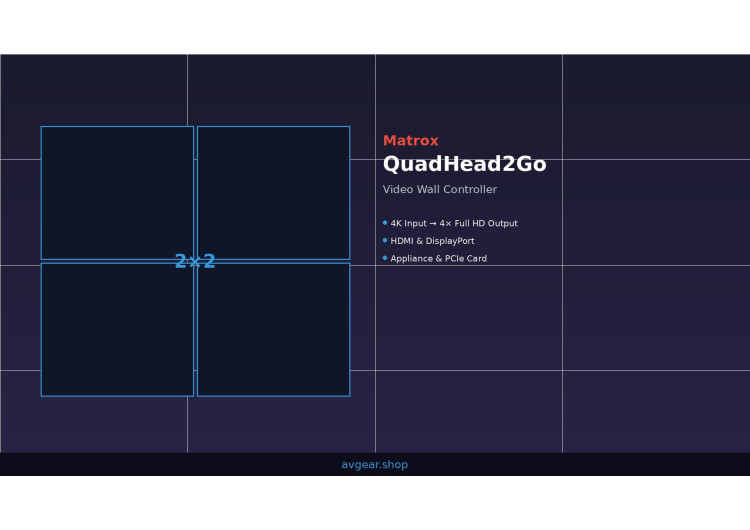
Setting up a multi-screen video wall is simpler than you think. A single controller and four displays are enough to get started.
Video walls have become the standard in broadcast control rooms, live event venues, and corporate presentation spaces. What was once reserved for high-budget installations now sits within reach of organizations operating with practical constraints. The secret lies not in complexity but in choosing the right hardware from the start. A single controller can transform one computer output into multiple synchronized displays, each running independently while maintaining precise frame-level timing across the entire wall.
The barrier to entry has dropped significantly. You no longer need a dedicated graphics processing unit, specialized capture cards, or elaborate software configurations. Modern multi-monitor controllers handle the heavy lifting with minimal fuss. Whether you're outfitting a broadcast gallery, setting up the stage monitors for a live concert, or building a corporate lobby display, the fundamental approach remains consistent. One signal in, multiple signals out, perfectly synchronized.
All you need is a computer and a Matrox QuadHead2Go
At the core of any straightforward video wall sits a single principle: take whatever signal your computer generates and distribute it across multiple screens. This is exactly what the Matrox QuadHead2Go line accomplishes. These controllers intercept a single HDMI or DisplayPort connection, scale it intelligently, and feed four independent video outputs to your displays. No graphics card modifications, no driver complications, no software licensing headaches.
Think about your current setup. You have a laptop running presentation software, a broadcast graphics engine, or a streaming control interface. That machine outputs video to a single port. Connect that output to a QuadHead2Go Q155 or Q185, and suddenly four displays become available. The controller handles all the mathematics internally. It reads the incoming 4K stream, divides it logically across four outputs, and ensures each monitor receives exactly what you need it to display.
The fanless design matters in professional environments. No cooling fan means no acoustic noise in a broadcast studio. No moving parts means greater reliability during long-format events. Power consumption sits at just 15 watts maximum, letting you run the unit from a standard USB power supply in a pinch. The controller accepts an input signal at full 4K resolution—up to 3840x2160 at 60Hz—and outputs each quadrant to an individual display. This isn't a compromise; this is an elegant distribution of bandwidth.
Set the operating environment between 0 and 45 degrees Celsius, and the unit remains stable. Temperature swings that would concern other electronics pass unnoticed. The compact chassis measures 139.7 millimeters by 31.8 millimeters by 181.1 millimeters—roughly the footprint of a thick hardcover book. Weight stays under half a kilogram, so mounting options range from equipment racks to desktop stands to wall-mounted enclosures.
Two fundamental versions exist, distinguished by their input connectors. The Q155 accepts HDMI, while the Q185 takes DisplayPort 1.2. Your source device determines which suits your situation. Most professional cameras and mixers use HDMI. Computers and graphics workstations increasingly default to DisplayPort. Neither approach offers more capability than the other—the choice depends on what already connects to your equipment stack.

Both models support RGB 4:4:4 color sampling, which maintains full luminance and chrominance resolution across all four outputs. This specification matters when displaying text, technical graphics, or color-critical content. RGB 4:4:4 ensures that a thin red line on a white background remains sharp instead of bleeding into adjacent pixels. For broadcast applications involving lower-third graphics, weather maps, or financial tickers, this color fidelity prevents artifacts that would degrade perceived image quality.
Audio passes through the controller transparently. Stereo or mono streams at 44.1 or 48 kilohertz, with 16-bit depth, travel alongside the video signal. AAC and PCM formats both work without transcoding. This means a single HDMI cable from your broadcast mixer carries video and audio to the controller, reducing cable runs in tight equipment spaces.
A simple video wall with 4x 4K screens
The most common configuration divides a single 4K input into a 2x2 grid of full-HD monitors. Imagine a broadcast control room with four monitors arranged in a square. Each receives 1920x1200 pixels at 60Hz. The controller automatically handles this division. Your graphics workstation sends one seamless 4K image, and the software portion of the controller maps the upper-left quadrant to monitor one, upper-right to monitor two, and so forth. Four separate display connections exist at the output, but from a content perspective, these four screens function as a unified canvas.
This simplicity scales to different aspect ratios and monitor counts. Want a 4x1 horizontal wall instead? The controller stretches the 4K input across four monitors arranged left to right. The same 4K source becomes a panoramic display spanning roughly 7680 pixels horizontally and 1200 pixels vertically. Video conference operators use this layout to display multiple participant windows side by side. Live event technicians arrange it to show four separate camera feeds in a control room. Broadcast stations use it to monitor ticker feeds, incoming sources, and secondary content in one sweeping view.
The Q155 and Q185 both support multiple layout presets. A 3x1 configuration dedicates the first three monitors to main content and reserves the fourth for status information or secondary feeds. The 2x1 layout handles dual-screen requirements, pairing two displays for conference rooms or control stations. Single-monitor outputs—1x1, 1x2, 1x3, 1x4—let you use the controller even when you need outputs to different parts of your venue. Perhaps the main stage uses four displays in a 2x2 arrangement while a separate control area uses a single monitor for event tracking. One controller manages all of this from a single source.
Each output supports independent rotation. Flip a display 90 degrees, 180 degrees, or 270 degrees using the on-device control buttons or management software, and the content automatically orients to match. This capability matters in specialized applications. A security monitoring station might rotate one display to portrait orientation for a tall building schematic. A digital signage network could run landscape on most screens and portrait on narrow pillar displays. The rotation happens at the controller level, not in your content creation software.
Physical monitor placement doesn't require millimetre-precise alignment. Bezels between displays create visible lines where the image meets the frame. The QuadHead2Go doesn't hide these seams—no technology does—but the controller lets you mask them in software. Position the on-screen content to avoid critical action or text in the bezel areas. Sporting events, news broadcasts, and corporate presentations all account for this when designing layouts.
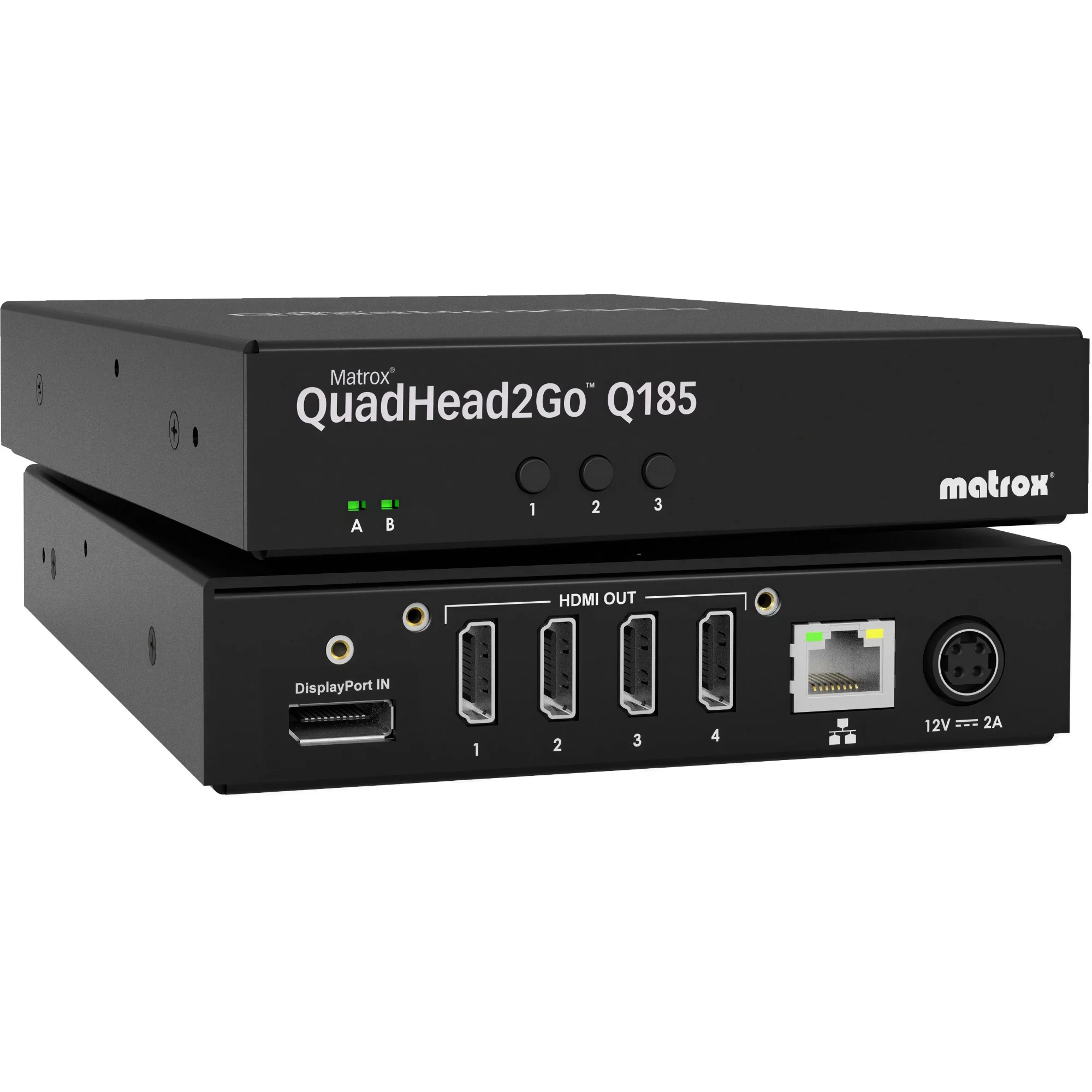
Resolution at each output caps at 1920x1200 at 60Hz, which covers most professional display hardware. Modern monitors, broadcast-grade displays, and video projectors all support this specification. The output interface uses standard HDMI connectors—no proprietary plugs, no license fees, no compatibility surprises. Cabling runs through standard infrastructure. If your equipment rack already handles HDMI distribution, the QuadHead2Go integrates seamlessly.
Consider a typical broadcast control room scenario. The incoming 4K feed from a satellite truck feeds the Q155. Four 1920x1200 monitors arranged in a 2x2 grid display program output, secondary camera feeds, graphics previews, and chat or social media feeds. All four screens update simultaneously with no latency concerns. The broadcaster observes the complete production picture without juggling windows on a single display or splitting attention across desktop monitors in a different room.
Combine multiple units to create larger video walls
One controller handles four outputs. What happens when your ambitions exceed four monitors? The answer lies in chaining multiple units together using Matrox graphics hardware. The system architecture supports up to 64 total displays across multiple controllers. A configuration might include eight QuadHead2Go units, each managing four displays, for a wall spanning 32 monitors in any arrangement.
This expansion requires a computer with Matrox graphics capabilities. The controllers themselves remain simple appliances—no driver installation, no software licensing, just hardware sitting in a rack. Matrox graphics cards, available as PCIe components, serve as the brains of the installation. The graphics output feeds multiple appliance-form controllers via a standard Ethernet connection. Each QuadHead2Go receives instructions from the graphics card about how to distribute its portion of the total output.
Large video walls in corporate environments often grow this way. A headquarters lobby might start with four displays in a 2x2 arrangement. Business expansion or new branding initiatives prompt the addition of eight more monitors in an adjacent wall. Rather than replacing the original controller, the IT department adds a second unit and a Matrox graphics card to support both installations from a single content source. The investment compounds gracefully rather than requiring complete hardware replacement.
Sports bars, nightclubs, and entertainment venues frequently operate 16 or more displays in a single space. Rather than running multiple computers and switching between them, a single high-end graphics workstation feeds multiple QuadHead2Go controllers. The Ethernet infrastructure connecting the controllers to the graphics card handles management and synchronization. All displays update frame-perfectly in sync, eliminating the jitter or flicker that would occur if separate computers drove each screen independently.
The REST API included with QuadHead2Go lets custom applications communicate with the controllers directly. Broadcast automation systems, venue management software, or streaming control applications can query display status, adjust layouts, and trigger preset configurations. For enterprise installations managing dozens of displays across multiple rooms, this API eliminates manual configuration and provides real-time monitoring of the entire system health.
Network connectivity runs through Gigabit Ethernet with RJ45 connectors. The controllers support both IPv4 and IPv6, with automatic DHCP configuration or static IP assignment for locked-down security environments. In a broadcast facility, the video wall controllers connect to a management network isolated from public internet traffic. In a corporate environment, they might operate on the standard office network with appropriate firewall rules.
Create creative video walls: rotate, scale and display content in any screen layout
The sophistication of modern video wall controllers extends beyond simple grid arrangements. The included PowerWall management software lets you define custom layouts where displays of various sizes and orientations combine into a unified surface. This capability accommodates real-world installation constraints that rarely involve perfectly uniform displays and textbook-standard physical arrangements.
Imagine a corporate campus with a main atrium featuring six displays and a conference room featuring two displays, all driven from one centralized source. The QuadHead2Go system allows simultaneous operation of both installations. The main atrium displays show company announcements and metrics in a 3x2 grid, while the conference room shows different content in a 1x2 portrait arrangement. A single content stream intelligently routes sections of the overall image to each location.
Retail environments benefit tremendously from this adaptability. A clothing retailer with four displays in the front window, three in an interior corridor, and two flanking the checkout counter can display cohesive marketing content across all nine screens. Each screen shows its designated portion of the overall campaign artwork. Promotions, seasonal themes, and product launches present uniformly across the entire store without requiring manual synchronization at each display.
House of worship applications often face unusual spatial constraints. A sanctuary might have displays of different ages and resolutions mounted at various heights and viewing angles. The QuadHead2Go controllers accommodate this variety. Hymn lyrics, live streaming feeds, or interpretation content distributes across these disparate displays as if they were purpose-built components of a single system. The controller handles the scaling and positioning mathematics, not the content creator.
Entertainment venues like esports arenas and concert halls require real-time adaptability. During setup, the control operator needs to quickly try different layouts without rewiring or reconfiguring software. The on-device buttons on the QuadHead2Go appliances provide instant layout switching. Press a button, and the 2x2 arrangement becomes a 4x1 panoramic display. Press again, and it becomes a 1x4 tall configuration. These presets work without touching a computer, making live adjustments possible during soundcheck or rehearsal.
Ultra-wide and ultra-tall configurations extend the creative boundaries. The system supports panoramic layouts stretching to 7680 pixels horizontally while maintaining 1080 vertical pixels. Video streamers use this for chat overlays and multi-camera feeds displayed side by side. News control rooms deploy ultra-wide layouts to monitor ticker feeds, international news feeds, and local content simultaneously. Conversely, ultra-tall configurations reaching 1920 pixels wide and 4320 pixels tall suit digital signage in vertical elevator lobbies or tall building directories. A single controller generates these extreme aspect ratios from standard 4K input.
Color input compatibility accommodates various source material. The controllers accept RGB 8:8:8, YUV 4:4:4, YUV 4:2:2, and YUV 4:2:0 color signals. Professional broadcast equipment often outputs YUV 4:2:2, which the controller converts to RGB 4:4:4 on the output side. This ensures consistent color representation regardless of upstream equipment. A camera configured for YUV output integrates seamlessly alongside a graphics workstation configured for RGB. The controller manages the format translation invisibly.
HDCP compliance protects content rights where required. The QuadHead2Go controllers support HDCP-protected streams, allowing integration with protected content sources like professional broadcast equipment or secured streaming inputs. Rights holders and content distributors can trust that their material remains encrypted throughout the distribution chain.
Versions for HDMI and DisplayPort, external cards or PCIe
The QuadHead2Go family splits into two fundamental categories: appliance-form controllers and PCIe card options. The distinction determines where the controller sits in your infrastructure and how it connects to your source equipment.
The appliance versions—Q155 with HDMI input and Q185 with DisplayPort input—function as standalone devices. You connect these to your source equipment using standard cables, arrange them in an equipment rack or desktop setup, and they operate independently. No driver installation, no power supply larger than a phone charger, no software licensing. The appliance design suits facilities where the video wall equipment lives outside the main computer system. A broadcast truck with a mixer and server can add a QuadHead2Go appliance as a final output stage. A corporate AV closet can house one alongside other distribution equipment.
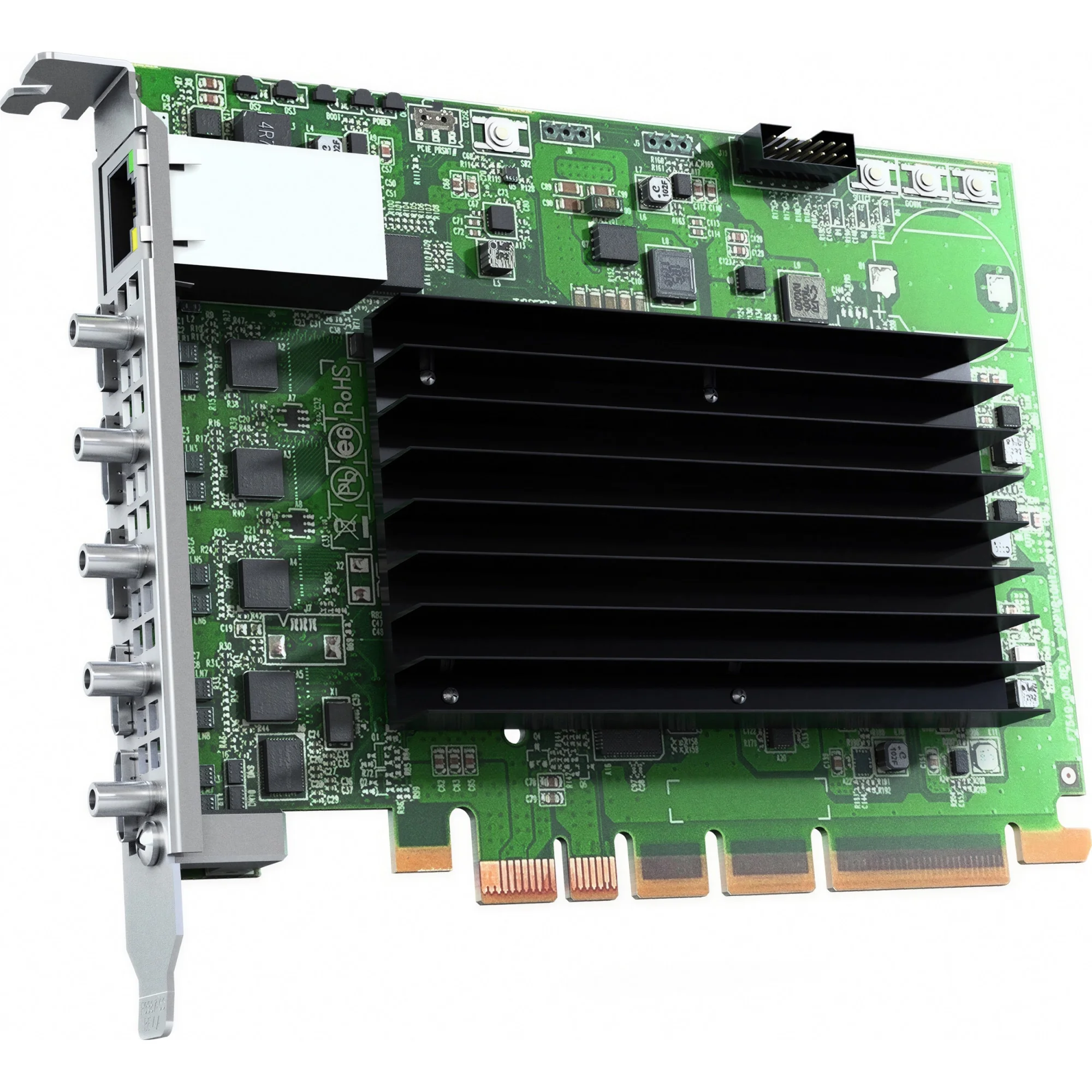
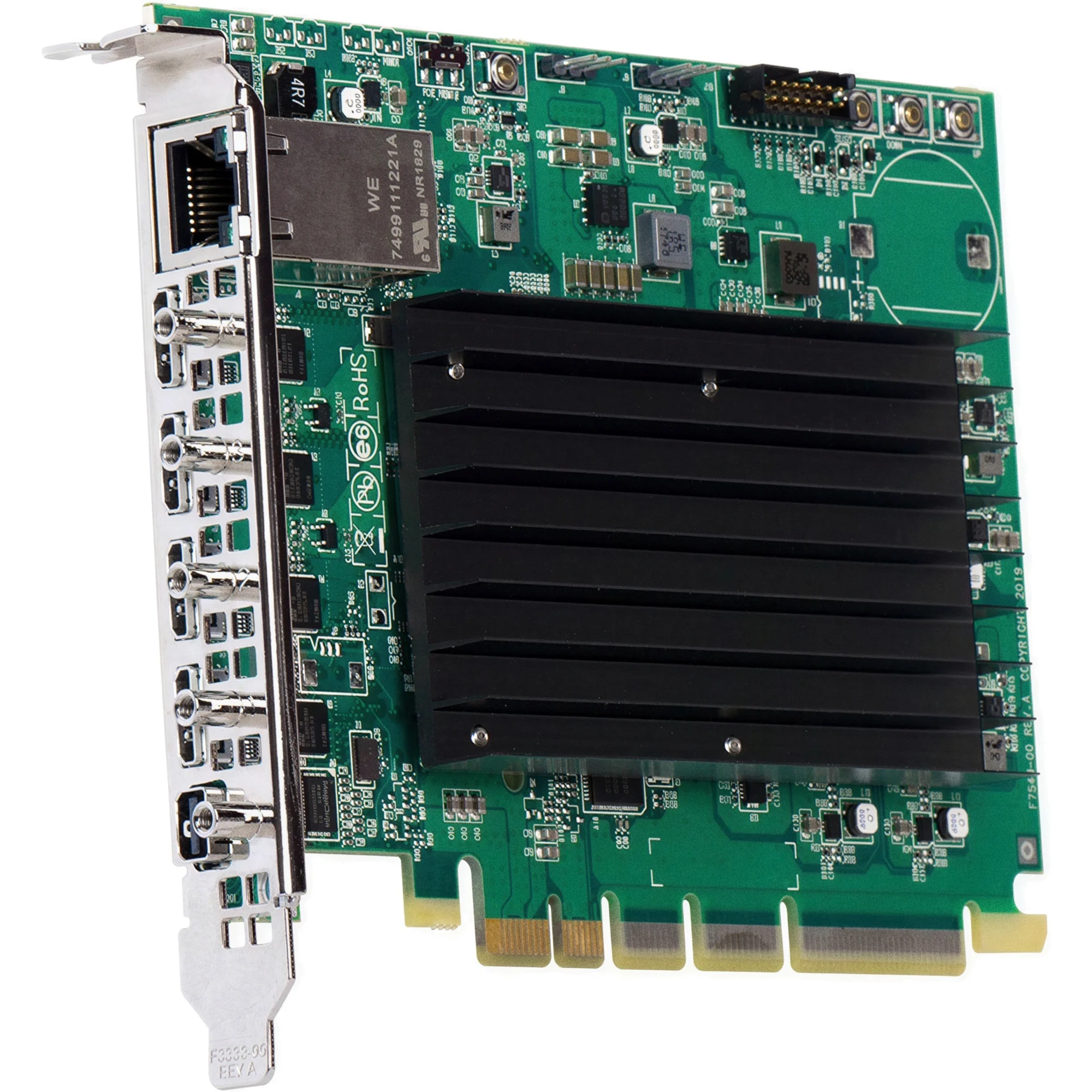
The Q155 PCIe and Q185 PCIe cards mount directly into a computer's expansion slot. These cards integrate the video wall controller into the graphics subsystem itself. The PCIe form factor uses a standard x16 mechanical slot but requires only x1 electrical bandwidth, meaning it works even in systems with limited PCIe capacity. Mini HDMI and mini DisplayPort connectors on the bracket replace the full-size connectors on the appliances. This integration benefits facilities where the video wall connects directly to a dedicated graphics workstation rather than sitting downstream of external equipment.
Which version makes sense depends on your architecture. A broadcast facility building a new outside broadcast van benefits from the appliance form. The van already contains mixers, servers, and signal processors. Adding a QuadHead2Go appliance at the output stage requires no computer modifications. When the van returns to the facility, the appliance moves to another vehicle or studio without compatibility concerns. The portability and modularity of the standalone device shine in these scenarios.
A graphics production company building a specialized workstation for video wall content benefits from the PCIe card option. The graphics card installs once, stays installed, and eliminates one cable run in an already-crowded equipment setup. Updates to the system maintain the same architecture. Adding more displays in the future might require additional PCIe cards, but the overall integration remains elegant.
Both the Q155 and Q185 exist in both appliance and card formats. The input signal type—HDMI versus DisplayPort—remains the distinguishing factor. Some facilities operate both versions. A broadcast control room might use a Q155 appliance to distribute a video mixer's HDMI output to four monitoring displays, while a graphics station in the same room uses a Q185 PCIe card to feed secondary displays from a high-end GPU. The same network manages both installations, with the QuadHead2Go controllers communicating via Ethernet.
Price points remain consistent across versions. The appliance and PCIe versions of both the Q155 and Q185 cost 1,249 euros, keeping the investment straightforward regardless of form factor choice. You select based on infrastructure fit, not financial trade-offs.
The underlying capability remains identical across all four versions. A 4K input produces four synchronized outputs at 1920x1200. Layout presets, rotation options, and color handling function the same way whether the controller sits in a rack or on a motherboard. The physical form accommodates your installation, but the video wall functionality delivers consistent results.
Technical certifications underscore the professional-grade construction. FCC, CE, KC, RCM, and VCCI approvals confirm that these controllers meet regulatory requirements across major markets. Broadcast facilities, corporate environments, and commercial installations can deploy them with confidence that compatibility and safety certifications are already verified. No special approvals, no regional workarounds, no compatibility surprises.
Getting started with a video wall doesn't require architectural innovations or exotic hardware. A single QuadHead2Go controller, four displays, and standard cabling create a functional system within hours. Begin with the simplest configuration—a 2x2 grid of monitors fed from a single 4K source—and scale from there as requirements evolve. The modular approach means today's installation remains relevant as your facility grows. Add another controller, introduce larger displays, move to ultra-wide configurations, or integrate with broadcast automation systems. The same fundamental principle applies: one signal in, multiple synchronized outputs, content displayed exactly as you intended. That simplicity, backed by professional-grade reliability, makes video walls accessible to facilities of any size.
Comments
No comment at this time!
Leave your comment