


Teleprompter for PTZ cameras.
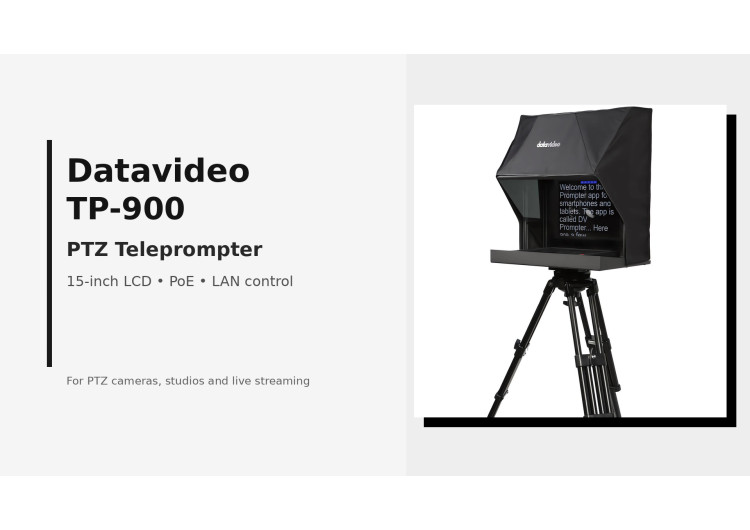
PTZ teleprompters must protect camera movement, reading comfort and eye contact. TP-900 solves this with a 15-inch LCD and adjustable lift.
PTZ cameras are often chosen because one operator can frame a speaker, follow a panel discussion or recompose a shot from a control desk. A conventional teleprompter can work against that advantage. The moving camera head needs space, the lens sits behind a rotating assembly, and the presenter still has to look directly through the optical axis. A PTZ camera teleprompter therefore has a different job than a studio prompter for an ENG camera. It must give the camera room to pan and tilt, place the lens close to the beam-splitter glass, and keep the reading plane clear enough for a presenter standing or seated several metres from the set.
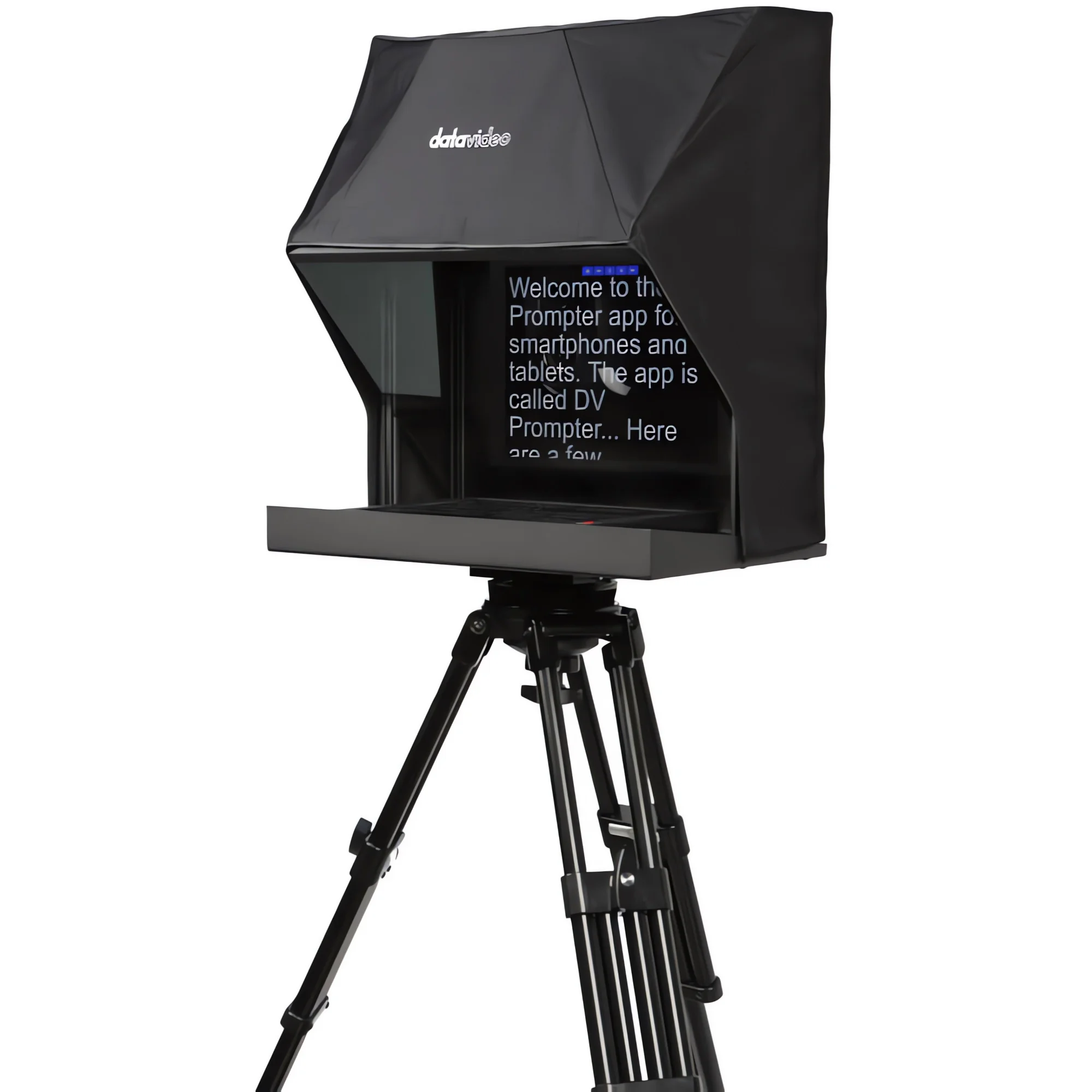
The Datavideo TP-900 PTZ camera teleprompter addresses that specific geometry with an inverted PTZ mounting position, an adjustable lift and a 70/30 mirror glass assembly. This matters in studios, webinar rooms, corporate town halls, council chambers, houses of worship and live streaming sets where eye contact is part of the message. A presenter can read script, bullet points or slide notes while still looking into the lens instead of glancing toward a laptop or confidence monitor.
For AV teams, the most useful question is not only whether a prompt can show text. The real question is whether the prompting system can stay out of the camera’s way. That is why PTZ compatibility, monitor size, LAN control, mirror quality and mechanical stiffness all matter. The article below focuses on those points in the context of professional production, not as isolated specifications.
Challenging PTZ camera body shape.
A PTZ camera is not a rectangular broadcast camera with a fixed optical centre. The head turns, tilts and often carries the lens inside a rounded housing. When such a camera is placed behind prompter glass, every millimetre counts. If the camera sits too far back, the angle of view narrows and reflections become more visible. If the hood is too close or too tight, the body can strike the cloth, the bracket or the frame during a pan. If the optical centre is not aligned, the presenter’s gaze will look slightly off-axis, which is especially visible in interviews and direct-to-camera presentations.
The Datavideo TP-900 uses a camera support concept intended for this problem: the PTZ head is mounted in an inverted position on a 150 x 150 mm scissor lift. The lift gives installers vertical positioning control, while the base tray and support frame give enough depth for the camera body, cable exits and the rear part of the hood. In practice, this lets the technician place the PTZ lens close to the 70/30 glass while keeping a safe movement area for the pan and tilt mechanism.
This is not a small detail. In a live webcast, a PTZ camera may move from a wide shot to a close framing of a speaker and then return to a two-person composition. The teleprompter cannot become a mechanical limit. The camera has to move without rubbing against the hood and without forcing the operator to reduce the range of pan. The TP-900 frame gives the camera a defined optical tunnel rather than a cramped box around a moving head.
That shape also helps with cable planning. PTZ cameras frequently carry Ethernet, SDI or HDMI, power and control cabling. Some installations include NDI or PoE camera lines, tally adapters or small converters near the head. A prompter for PTZ use must leave enough rear clearance for those cables, particularly when the camera turns. The TP-900 hood can accommodate protruding rear cabling more cleanly than a tight tablet prompter shell, which lowers the risk of cable drag during a live move.
Freedom of movement and the correct size are important.
With PTZ cameras, camera movement is part of the shot language. Producers use slow pushes during worship services, remote reframing in education, speaker tracking in conference rooms and repeatable presets for panel discussions. A teleprompter that blocks movement will push the team back toward static framing. The correct size of the prompter is therefore a production requirement, not a convenience.
The TP-900 frame has a maximum prompter size of 535 mm wide, 590 mm high and 350 mm deep. Those dimensions give the PTZ head a usable enclosure while keeping the complete unit realistic for tripod or dolly use. At 10.3 kg net weight, the system belongs on a professional support with sufficient payload and a head that can be locked securely. This is the point where many small prompting kits fail: they may hold a camera, but the combination of mirror glass, monitor, hood and moving PTZ body needs a stable mechanical platform.
Correct lens position is equally important. The lens should sit as close to the beam-splitter glass as the camera movement allows. A shorter distance helps preserve the view through the glass and reduces unwanted internal reflections. It also keeps the reading position and lens axis visually consistent for the presenter. During setup, the installer should check the full pan and tilt range before tightening the lift, then confirm exposure and white balance after the camera sees through the 70/30 glass.
PTZ teleprompter sizing affects the person on screen as much as the camera. A small screen can force a presenter to read with visible eye movement, especially when the set uses a medium or wide distance. The TP-900 uses a 15-inch (38.1 cm) display, so text can be enlarged without reducing the usable line length too much. That balance is important for corporate leaders, teachers, moderators and presenters who are not trained broadcast talent but still need controlled delivery.
The result is a prompting station that can serve recurring sets. A university lecture room, a streaming studio or a municipal chamber can keep a camera and prompter on a prepared tripod position, recall camera presets and run scripts from the network. This makes the prompter part of the room infrastructure rather than a fragile accessory added minutes before the show.
Dedicated Datavideo TP-900 model.
The Datavideo TP-900 is not a tablet holder placed in front of a PTZ camera. It is a dedicated teleprompter kit for PTZ camera operation, with a 15-inch (38.1 cm) monitor running dvPrompter Plus, an adjustable camera lift, a cloth hood, a metal base tray, a 70/30 mirror glass panel and the mounting hardware required to assemble the frame. The kit also includes practical installation items such as a 5 m Ethernet cable, USB mouse, 12 V mains power supply and D-Tap regulated cables.
Its connectivity is important for modern AV rooms. HDMI input lets the 15-inch (38.1 cm) screen act with external sources and hardware mirroring, while HDMI output can feed external displays or link multiple units. Ethernet control permits script handling from a device on the same local network through a browser interface. For productions with two eye-line positions, HDMI or IP synchronisation can keep multiple TP-900 units in step, which is useful for interview sets and multi-camera presentations.
The system also supports several content methods. Text scripts can be prepared and controlled in dvPrompter Plus, and presentation slides from PowerPoint or Keynote can be imported through the web interface. For presenters, this matters because not every show is a full script. Some formats use a teleprompter for opening statements, then switch to bullet points, agenda slides or lower-third timing notes. A single prompting device that can show script and slide material reduces the number of screens around the camera.
Remote operation is another practical factor. The unit can be controlled and monitored through LAN, while optional accessories such as the WR-500 wired remote, FS-30 foot pedal or common USB presentation remotes allow the presenter or operator to control pacing. In a small webcast, the speaker may operate the scroll. In a broadcast-style setup, an assistant can manage speed from the control room. In both cases, the operator does not need to sit beside the camera and disturb the set.
For e-commerce content, it is worth stating the purchase context clearly: the Datavideo TP-900 PTZ Camera Teleprompter is best understood as a complete prompting structure for PTZ cameras, not as a general monitor accessory. Its mechanical mounting, mirror glass, network control and screen integration address the main friction points that appear when a robotic camera must share space with a prompting system.
Built-in 15-inch (38.1 cm) LCD screen.
The TP-900 uses an integrated 15-inch (38.1 cm) LCD screen with a 4:3 presentation format and 1024 x 768 native resolution. That format suits text prompting because line length remains readable without forcing very small characters. The screen is rated at 350 nits, which is appropriate for controlled studio, conference and indoor event environments. For brightly lit sets, the operator should test prompt contrast during camera rehearsal, since stage lighting, glass angle and presenter distance all affect perceived readability.
The built-in dvPrompter Plus application removes the need to place a laptop next to the camera just to run scrolling text. Scripts can be loaded and managed from the device interface or through the local network. Font size, type, colour and justification can be adjusted per script, which is relevant when one set is used by several presenters. A taller speaker standing farther from the lens may need different text size than a seated host in a webinar room.
Hardware mirroring is a key point. Teleprompter text must appear reversed on the monitor so it reads correctly in the 70/30 mirror glass. When HDMI input is used, the TP-900 can mirror the source at the hardware level. This lets the screen serve with third-party prompting or presentation tools, while still maintaining readable text through the glass. For technical staff, that reduces the risk of having to solve mirroring in software immediately before a live session.
The screen can also display more than plain text. Slide support is useful when the speaker has to address agenda points, lecture material or a product presentation while looking toward the lens. In a training studio, for example, the presenter can read short cues and see slide references in the same optical path. In a remote interview configuration, a paired setup can let both sides look near the lens while seeing the other person’s image, creating a more direct audience connection.
Teleprompter screen size should always be matched to camera distance and presenter style. A 15-inch (38.1 cm) screen gives more room than tablet-based solutions, but it still rewards careful typography. Use fewer words per line, a clear font, strong contrast and rehearsal-based scrolling speed. The TP-900 provides the screen and software base; the final readability comes from disciplined script preparation.
Durable Datavideo construction.
A PTZ teleprompter is a mechanical device as much as an electronic one. The monitor, glass, hood and camera mounting structure form a shared optical assembly. If the frame flexes, if the glass is mishandled or if the tripod plate is underspecified, the image can suffer even when the camera and prompter electronics are working correctly. The TP-900 kit uses a metal base tray with tripod plate, extruded frame sections, support bars and a dedicated PTZ lift, giving the unit a repeatable structure for studio installation and portable production.
The 70/30 mirror glass is central to the system. It reflects the prompt toward the presenter while allowing the camera to record through the glass. The operator should account for the optical effect during setup: exposure and white balance need checking after the glass is in place, because the camera sees through an additional optical surface. Cleaning should be careful and non-abrasive. Dust, fingerprints and streaks are not cosmetic problems; they can lower contrast and become visible in front of a lens, particularly when the camera uses a tight shot.
Power planning is also part of build quality in real rooms. The TP-900 can run from the supplied 12 V DC mains adapter and can also use PoE when an optional PoE adapter is added. That is valuable for locations where the camera position is set high, far from a power outlet or on a mobile stand. A single CAT6 cable path for network and power support can make a cleaner installation, but teams should confirm the actual PoE adapter, cabling and network power budget before commissioning the room.
Operating temperature is specified from 0 to 40 °C, so the system is suited to typical indoor AV spaces, studios and event rooms. For outdoor streaming or temporary venues, shade, moisture protection and temperature management remain the responsibility of the production team. The hood helps shield the glass and monitor from stray light, but it is not a weather enclosure.
The value of Datavideo TP-900 construction becomes clear during repeated use. Screws, lift position, glass seating, hood magnets and cable routing can be checked as part of a standard pre-show routine. Once the unit is mounted and balanced on proper support, the operator can concentrate on framing, script timing and presenter delivery rather than fighting a loose or undersized prompter assembly.
In summary
A teleprompter for PTZ cameras must solve more than text display. It has to respect the moving geometry of the PTZ head, preserve camera movement, place the lens close to the beam-splitter glass and remain readable for people who may not be trained presenters. The TP-900 is relevant because its physical layout, 150 x 150 mm lift, 70/30 glass, 15-inch (38.1 cm) LCD screen, HDMI and IP connections, LAN operation and optional remote controls all support those production demands.
For broadcast studios, live streaming rooms, education, corporate communication, worship venues and controlled event spaces, the Datavideo TP-900 teleprompter for PTZ cameras gives the presenter a direct eye-line while allowing the camera operator to keep the advantages of PTZ control. It is a practical choice when the shot must stay natural, the script must stay under control and the camera cannot be trapped inside a prompter that was never meant for a moving robotic head.
Comments
No comment at this time!
Leave your comment