


What is HDBaseT?
.jpg "What is HDBaseT?")
One cable instead of four at every camera position. How HDBaseT works, where it pays off in live production and which Datavideo devices use it.
Count the cables at a single PTZ position on a live job: video, power, a control line, often a separate tally loom. Multiply that by three cameras on a balcony rail 80 metres from the gallery and the cabling plan starts eating into rigging time. HDBaseT exists to collapse that bundle into one run of category cable.
HDBaseT is a point-to-point connectivity standard that carries uncompressed video and audio, control signals, Ethernet and DC power over one twisted-pair cable with RJ45 connectors, at distances of up to 100 metres per link. The HDBaseT Alliance, founded in 2010 by LG, Samsung, Sony Pictures and chipmaker Valens, maintains the specification.
Every link has two ends. A transmitter sits at the source and a receiver at the switcher, display or projector. The Datavideo HBT-15 is a textbook transmitter: HDMI 2.0 goes in, a single RJ45 port comes out. Between the two boxes the signal is spread across all four copper pairs with PAM-16 modulation and no compression stage. Latency over a full run stays below 100 microseconds – a tiny fraction of one frame – so the link itself adds no visible delay to IMAG screens.

The standard has moved through three generations. Spec 1.0 (2010) set the 100-metre benchmark, 2.0 (2013) added USB 2.0 and multi-hop networking, and 3.0 doubled the data rate so a full 18 Gbps HDMI 2.0 signal – 4K60 with 4:4:4 colour – crosses the cable untouched, with Gigabit Ethernet alongside. Older and newer devices still connect at their highest shared feature level.
What are the capabilities of this protocol?
The Alliance calls the feature set 5Play: five services sharing one cable. In production terms:
- Uncompressed video and multichannel audio with HDCP pass-through – no codec artefacts, no buffering.
- Bidirectional control – RS-232/RS-422 and IP commands travel back upstream, so a joystick at the desk drives pan, tilt and zoom at the far end. Camera makers also route tally through this channel.
- Power over HDBaseT (PoH) – up to 100 W across all four pairs, enough for a PTZ head or a display with no socket nearby.
- Ethernet – 100 Mbps in earlier silicon, Gigabit in Spec 3.0.
- USB 2.0 for touch panels and KVM.
Manufacturers set their own power budgets within that ceiling. The Datavideo HBT-12 receiver runs from a 56 V supply and sends 65 W back to the camera, comfortably above what a 4K PTZ draws, while delivering 4K up to 30p at 70 metres or 1080p60 at the full 100 metres over Cat 7.

What HDBaseT will not do is forgive bad cable. There is no retransmission, so a marginal link shows up as sparkles or dropouts rather than a slow connection. Use shielded, solid-copper Cat 6A, keep connection points to four or fewer, avoid copper-clad aluminium and keep powered runs out of tight bundles, where heat raises insertion loss. Testing every run with a cable analyser before the first show is cheap insurance.
Which ProAV devices use HDBaseT?
The format spread first through installed AV – projectors and flat panels with built-in receivers, matrix switchers, wall-plate extenders. In live production its strongest foothold is the PTZ camera, because one cable replacing four removes the most labour per position. Datavideo builds a complete chain around it: cameras with HDBaseT outputs, standalone transmitters, single- and multi-channel receivers and portable switchers with HDBaseT inputs.
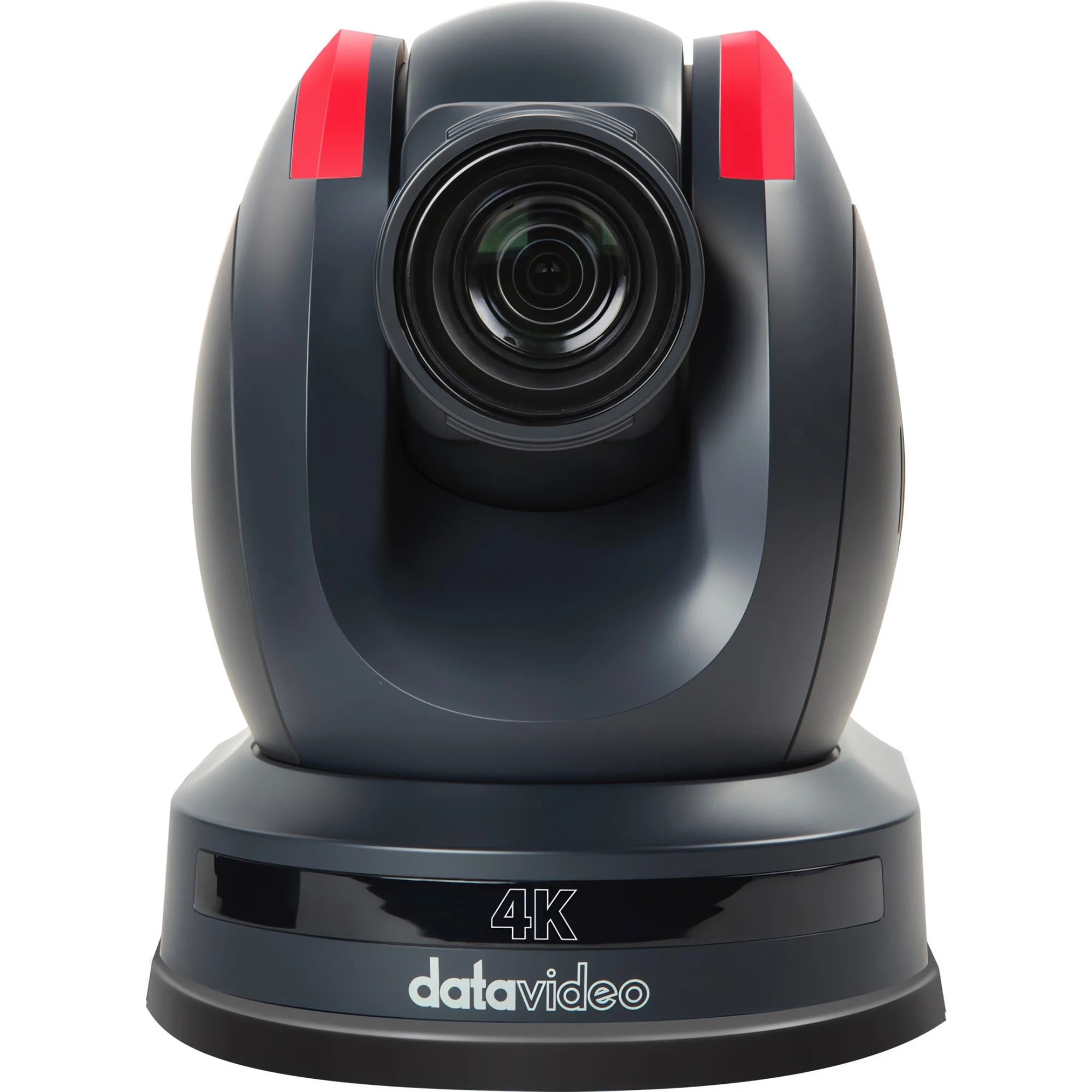
At the top of the camera range sits the Datavideo PTC-305T. A 1/1.8" CMOS sensor and 20x optical zoom (6.7–125 mm, F1.58 at the wide end) reach the back of a large hall, while AI auto-tracking follows one designated presenter and ignores anyone crossing the shot. A single HDBaseT run carries 2160p50/60, power, control and red/green tally; HDMI 2.0, 3G-SDI and dual H.264/H.265 streams over RTSP, RTMPS or SRT stay available in parallel.

Smaller rooms need a wider lens. The Datavideo PTC-285T swaps reach for an 80° horizontal view, using a 12x zoom (4.4–52.8 mm, F1.8–F2.6) on a 1/2.8" sensor. Outputs, person-lock tracking and the PoE or HDBaseT power options match its bigger sibling, and an S-shaped speed curve softens every start and stop. Both models can share one rig and one control desk.
What are some real-world examples of HDBaseT applications?
Conference keynote with IMAG. Three PTC-305T cameras hang from a balcony rail, each on one Cat 6A run to a Datavideo HBT-30 at the desk. The receiver supplies 65 W per channel, hands three HDMI 2.0 feeds at 4K60 to the vision mixer over runs of up to 100 metres and returns RS-422 or DVIP control to the camera controller. One box replaces three receivers and three power supplies.

Lecture capture. A PTC-285T on the rear wall of a university theatre tracks the lecturer at 1080p60, or at 2160p30 when the run stays within 70 metres. One cable through the ceiling void reaches an HBT-12 in the AV rack. No new socket at the camera, no electrician on the job card.
Studio and broadcast. An HDMI-only 4K PTZ camera reaches a gallery on another floor through an HBT-15 feeding one HBT-30 input. The receiver powers the transmitter over the cable, the transmitter’s 12 V output powers the camera, and EDID learning keeps the source on the right format.
Control rooms, retail signage and corporate boardrooms rely on the same principle. The limits are clear: links are point-to-point, and beyond 100 metres fibre, SDI or IP video takes over. Within that radius, a production company gains one cable type, standard RJ45 tooling, fewer power drops and noticeably shorter load-ins. When a rig mixes HDBaseT and SDI, our team can check cable lengths, receiver choice and power budgets against your venue drawings before you order.
Comments
No comment at this time!
Leave your comment